If you’ve ever tried to plan a department’s growth using three different spreadsheets and a stale slide deck, you know how hard it is to make confident decisions when the structure, roles, and hiring assumptions live in different places.
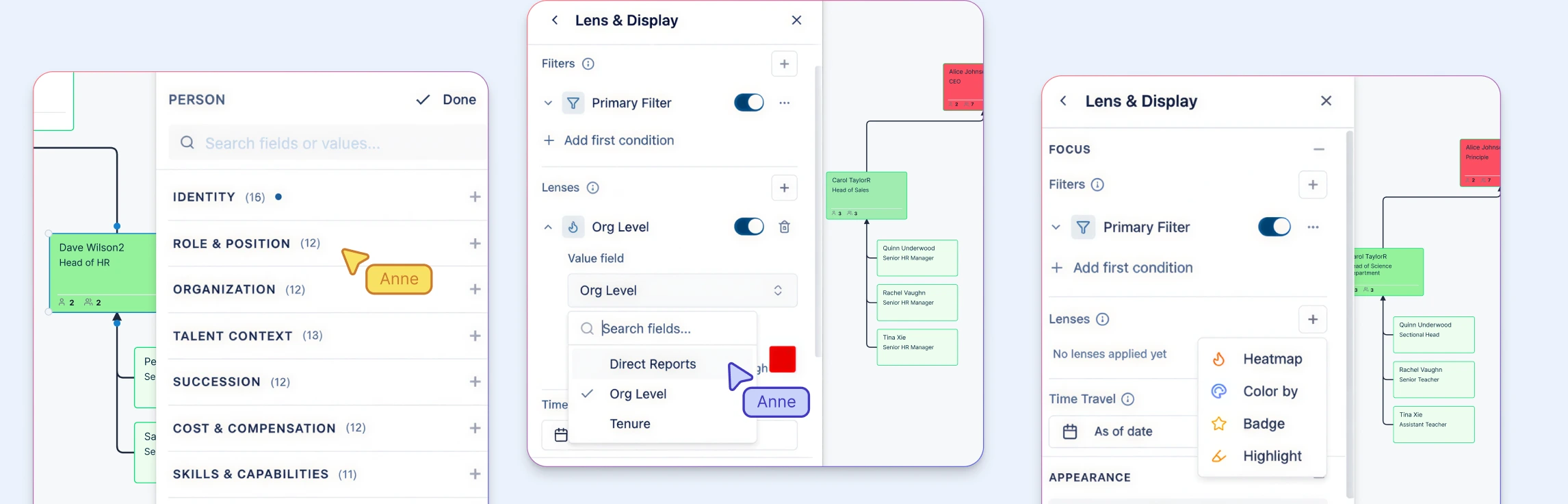
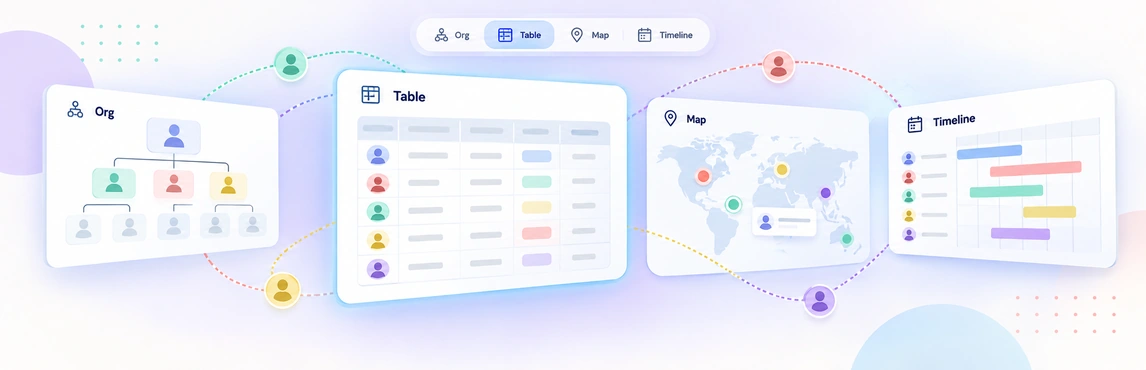
This guide explains how a workforce planning org chart turns that scattered workflow into a visual planning model. It shows how to connect your current organization to future-state structures, headcount decisions, succession coverage, and scenario modeling so leaders can review change before it affects the live org. In Creately Atlas, reviewed CSV imports, separate people and positions, scenarios, and department views support that work, with field-level access controlling visibility across 201 fields in 15 packs.
What Is a Workforce Planning Org Chart?
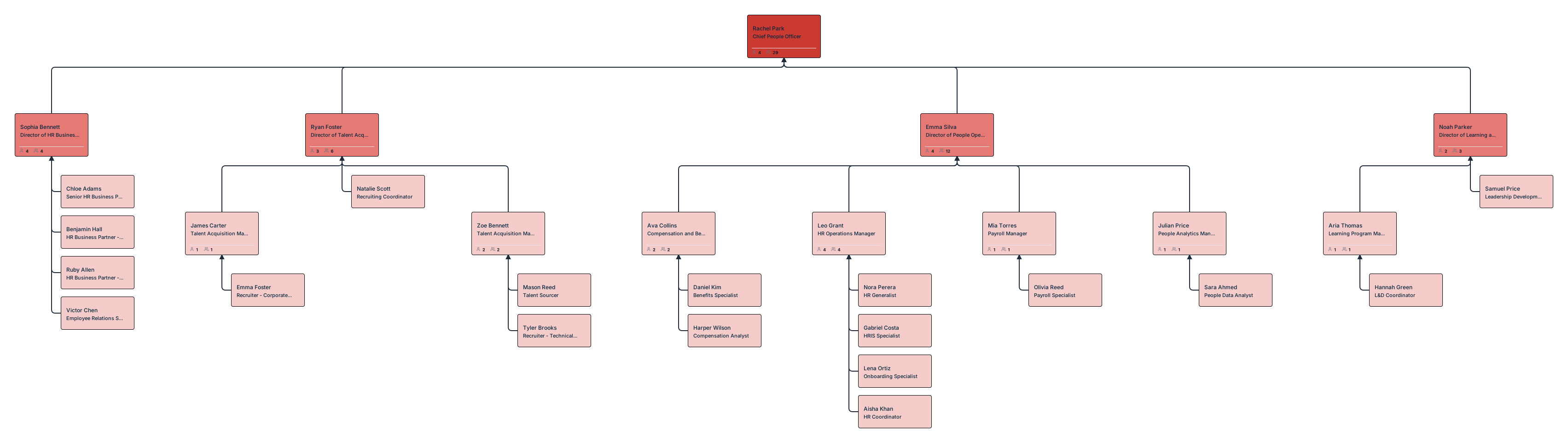
A workforce planning org chart is a dynamic, visual roadmap of your company’s human capital over time. Unlike a static directory, it functions as a living model that connects your business strategy directly to your people strategy.
It’s the difference between looking at a photograph of your team and looking at a blueprint for its future. Beyond names and titles, it visualizes:
- Future-State Roles: Positions required to hit next year’s milestones.
- Budgeted Vacancies: Approved “open” roles that are funded but not yet filled.
- Capability Mapping: The specific skills and competencies needed for upcoming initiatives.
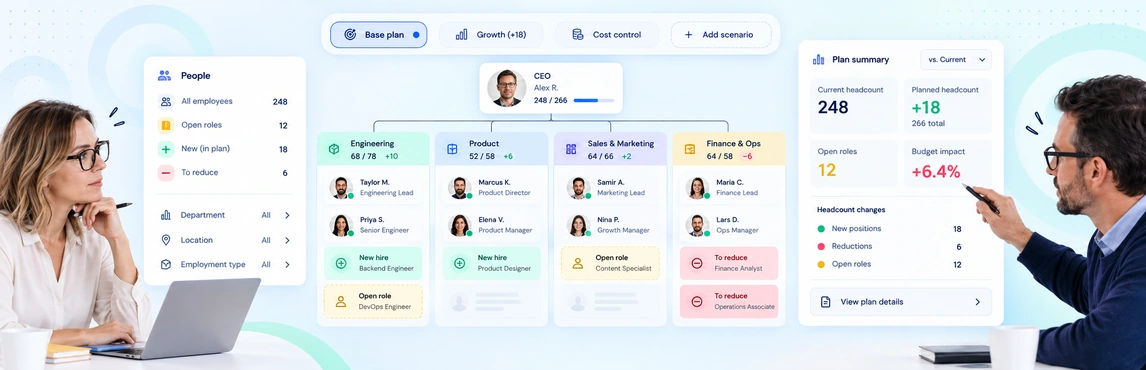
- Scenario Modeling: Visualizing how a restructure or a hiring surge would actually look before you commit.

How It Differs from a Traditional Org Chart
The frustration of modern workflows often stems from using the wrong tool for the job. While a traditional chart is great for HR compliance, it falls short when you need to make fast, strategic decisions.
| Traditional Org Chart | Workforce Planning Org Chart |
|---|---|
| Reactive: Shows the “Right Now.” | Proactive: Models the “What’s Next.” |
| Snapshot: Static view of names and titles. | Timeline: Dynamic view of growth and transitions. |
| Compliance‑focused: Answers “Who reports to whom?” | Strategy‑focused: Answers “What structure do we need to win?” |
Why Org Charts Matter in Strategic Workforce Planning
Workforce planning is a complex balancing act between cost, capacity, skills, and timing. When these variables stay trapped in disconnected spreadsheets, they create friction and slow down decision-making.
Visual org charts simplify this complexity. They transform abstract data into a clear, shared model that allows leaders to see the structural impact of their strategy before executing it.
Strategic Benefits
Integrating org charts into your planning process provides a high-leverage edge:
- Goal Alignment: Instantly see if your hiring plan actually supports your business objectives. You move from reactive “fire-fighting” hires to building a structure designed for growth.
- Evaluation of Trade-offs: Leadership can visually test different scenarios—like shifting resources between departments—to evaluate costs and benefits before committing capital.
- Cross-Functional Clarity: It creates a common language for HR, Finance, and Executives. When everyone sees the same map, the distance between “budget approved” and “role filled” shrinks.
- Risk Mitigation: Gaps in the talent pipeline, single points of failure, and over-extended reporting lines become visible and addressable before they become liabilities.
By shifting the conversation from rows of data to a visual structure, stakeholders can stop debating the accuracy of spreadsheets and start discussing the reality of their future workforce.
Key Components of a Workforce Planning Org Chart
To move beyond a basic hierarchy, a workforce planning org chart must be data-rich. It’s not just a list of employees; it’s a blueprint of your organization’s capacity.
Roles vs. People
The most critical shift in strategic planning is separating the role (the work that must be done) from the person (the individual currently doing it).
- Roles: Define the function, requirements, and business value.
- People: Represent current incumbents and their specific skill sets.
By focusing on roles first, you can plan objectively for the organization’s needs without getting bogged down by individual changes or performance fluctuations. That approach works especially well when positions, people, vacancies, and field packs can be reviewed together or independently.
Vacancies and Placeholders
In a planning chart, what isn’t there is often as important as what is. Visualizing empty seats allows for a realistic view of your team’s actual capacity versus its intended strength. This includes:
- Open Positions: Roles currently being recruited.
- Backfills: Positions that will soon be vacant due to internal moves or departures.
- Pending Approvals: Roles that have been proposed but are waiting for budget clearance.
Shadow (or “Ghost”) Positions
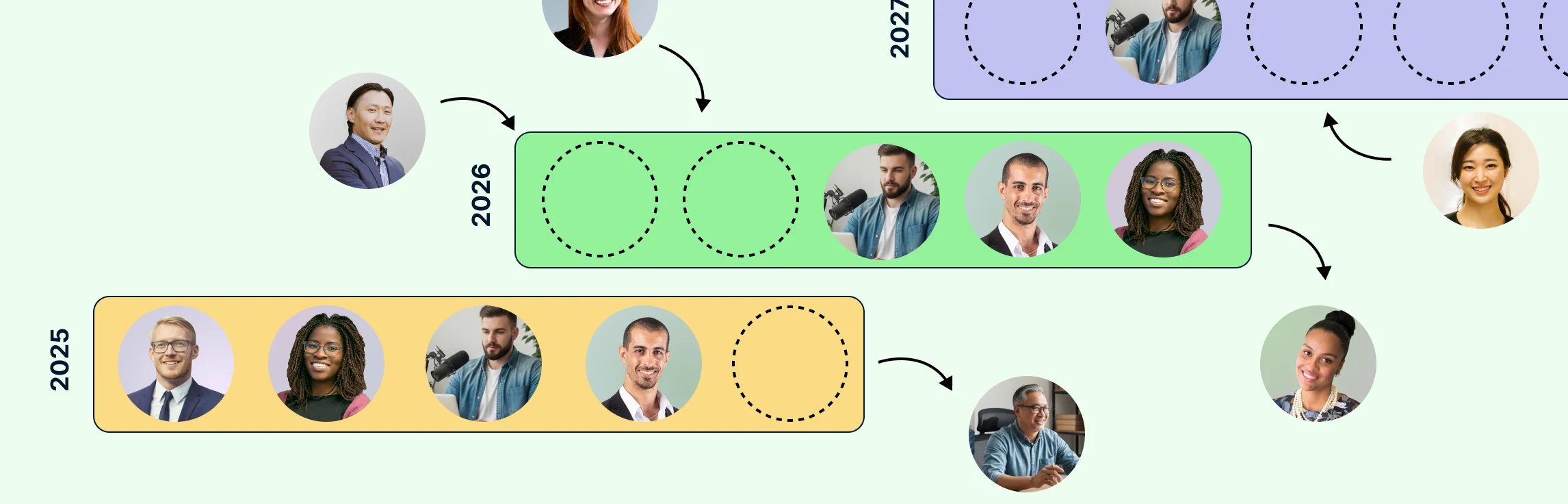
A shadow role is a position that does not yet exist operationally but is budgeted or anticipated in the future. This is a high-leverage tool for leadership to model growth without cluttering the “live” org structure or breaking the people-versus-position logic in the planning model.
These are essential for:
- High-Growth Startups: Mapping out the next 12–24 months of hiring.
- Scale-ups: Preparing for funding rounds by showing exactly where new capital will be deployed.
- Market Expansion: Visualizing the local teams required to launch in a new territory.
Including shadow positions ensures your growth plan is grounded in reality, allowing you to see exactly when and where your team needs to expand to hit your milestones.
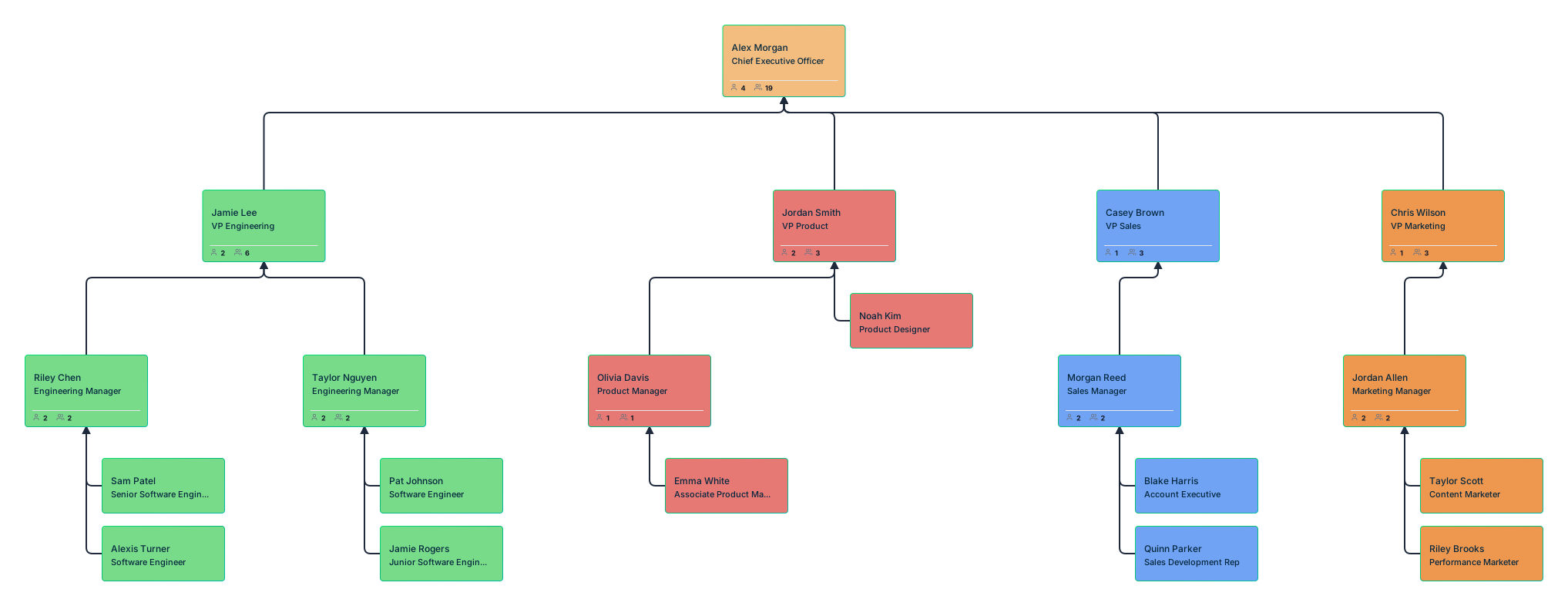
Types of Workforce Planning Org Charts
Strategic planning isn’t one-size-fits-all. To move from a static view to a dynamic model, you need different “views” of your organization. Each type serves a specific purpose in your decision-making toolkit.
Current-State (As-Is) Org Charts
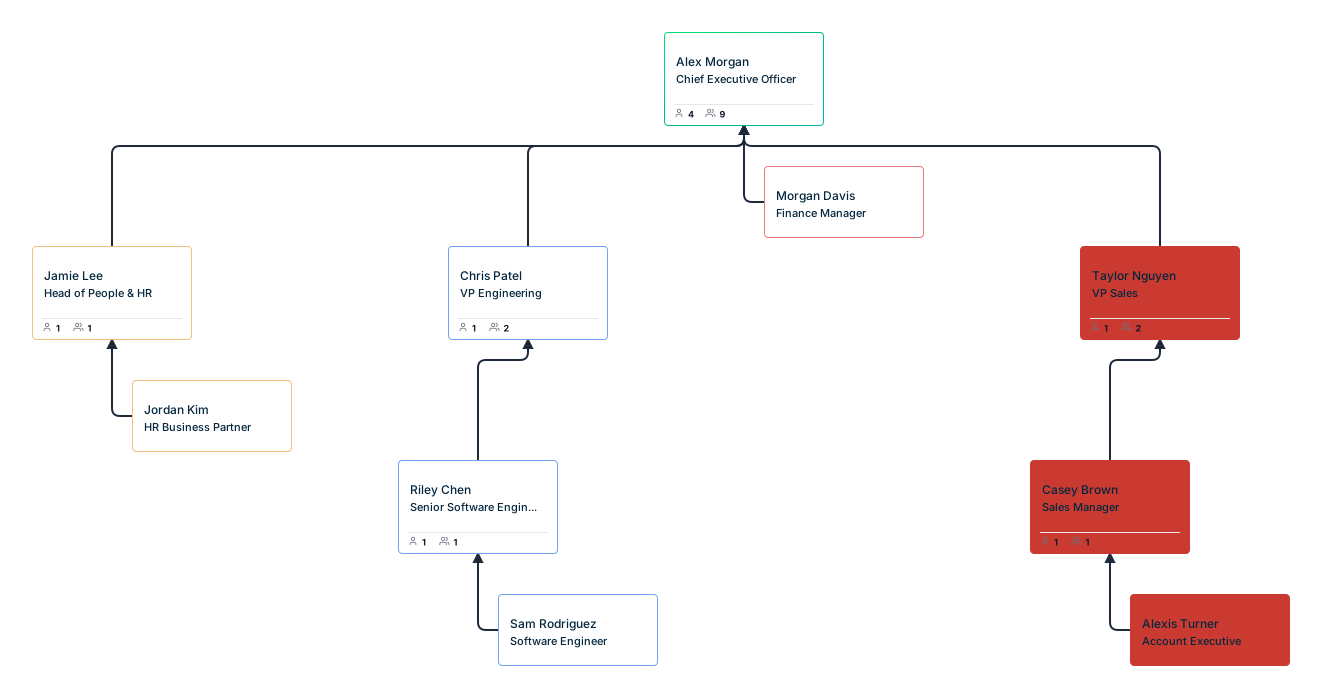
The current-state chart is your baseline. It reflects your workforce exactly as it exists today. Use this view to audit your present reality:
- Span of Control: Are managers over-leveraged?
- Capacity: Do we have enough people to meet current demand?
- Risk Assessment: Where are our single points of failure?
Future-State (To-Be) Org Charts
The future-state chart is a visual representation of where you need to be to hit your next strategic milestone. It’s the “north star” for your hiring and development teams. It includes:
- New Teams: Structural changes required for new product lines or markets.
- Evolution of Roles: How current positions will need to shift as the company scales.
- Strategic Reporting Lines: New hierarchies designed for increased efficiency.

Scenario-Based Org Charts
Scenario planning is about being prepared for multiple futures. Instead of one fixed plan, you create “What-If” models to compare alternatives side-by-side:
- Growth vs. Conservation: An aggressive hiring plan versus a conservative, revenue-aligned approach.
- Centralized vs. Decentralized: Testing how a restructure would impact communication and speed.
- Build vs. Buy: Visualizing the difference between upskilling internal talent and hiring external experts.
Skills-Based Org Charts
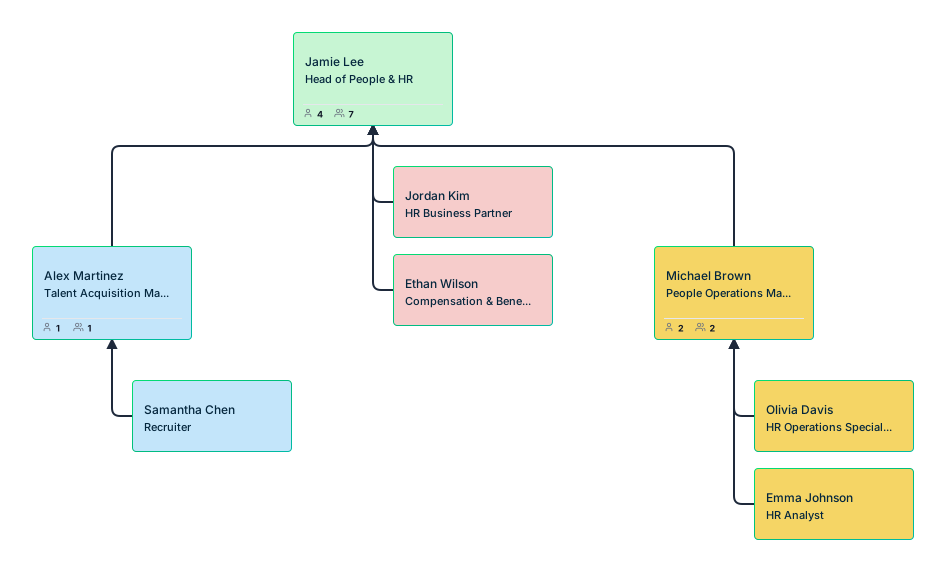
Modern organizations are moving away from rigid titles and toward capabilities. A skills-based chart de-emphasizes hierarchy to highlight:
- Core Capabilities: Where your highest-value technical or leadership skills live.
- Skill Distribution: Ensuring critical expertise isn’t siloed in just one department.
- Redundancy: Identifying “at-risk” areas where a single departure could stall a project.
By using these different chart types, you stop guessing and start modeling—turning complex organizational shifts into clear, actionable visuals.
Common Workforce Planning Use Cases
A workforce planning org chart is more than a reference document; it is a decision-support tool. By visualizing your people data, you can navigate complex organizational shifts with precision and confidence.
Hiring and Headcount Forecasting
Stop the guesswork of “when do we need more people?” Visual forecasting allows you to map out your hiring roadmap alongside your business milestones.
- Timeline Alignment: Sync your hiring surges with budget cycles to ensure you’re never over-leveraged.
- Strategic Placement: Identify exactly which departments need support before they hit a breaking point.
- Precision Budgeting: Turn vague “headcount requests” into a clear, visual plan that Finance can approve with confidence.
Succession Planning
Every organization has “invisible” risks—single points of failure where a single departure could stall a major initiative.
- Risk Mapping: Quickly visualize roles with no clear backup or successor.
- Talent Bench Strength: Visualize your internal talent pipeline to see who is ready for promotion and where you have “readiness gaps.”
- Leadership Continuity: Ensure that as your veterans move on, your “future-state” leaders are already being developed in the wings.
Organizational Restructuring
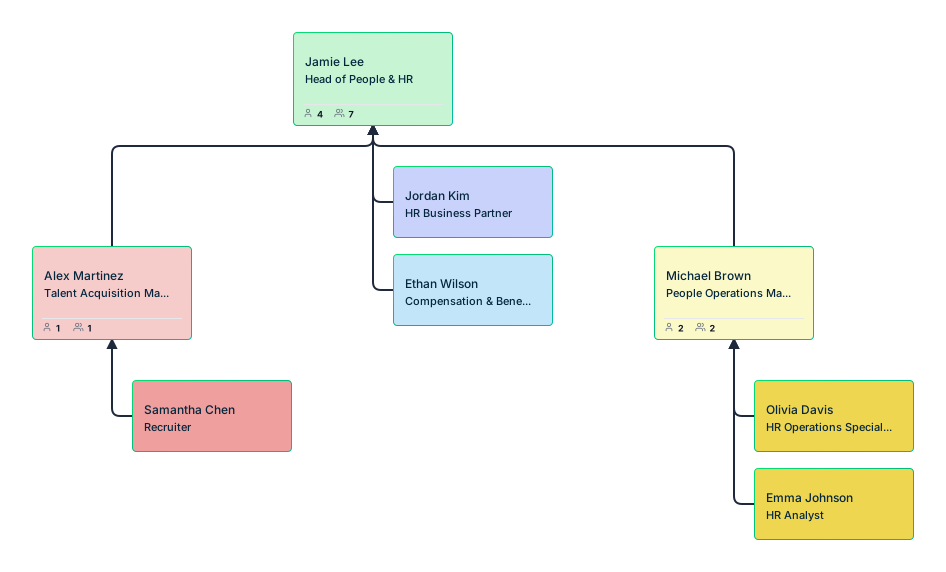
Restructuring is often met with anxiety and confusion. A visual model replaces that friction with clarity.
- Structure Testing: Drag-and-drop different reporting lines to see how they impact communication and speed before making them official.
- Redundancy Reduction: Identify overlapping roles or “siloed” teams that can be integrated for better efficiency.
- Accountability Mapping: Clearly define new spans of control to ensure every team has the leadership it needs to thrive.
Mergers and Acquisitions (M&A)
Combining two cultures and structures is one of the greatest organizational challenges. Org charts act as the “integration blueprint.”
- Structural Overlay: Lay the two organizations side-by-side to identify immediate redundancies or talent gaps.
- Integration Planning: Design the “Day 1” and “Day 100” structures visually to minimize disruption for employees.
- Cultural Alignment: Use the visual map to communicate the new unified structure to the entire workforce, reducing uncertainty and building buy-in from the start.
How to Build a Workforce Planning Org Chart
Building an effective planning org chart is part analytical and part collaborative. It’s about more than just drawing boxes; it’s about designing a high-performance engine for your business, and using a dedicated workforce planning software allows you to move beyond manual sketching. Follow these four steps to move from a static view to a strategic model.
Step 1: Define Your Planning Objective
Before you move a single box, ask: What problem are we trying to solve? Your objective dictates the level of detail you’ll need to include. Common drivers include:
- Scaling for Growth: Visualizing where to add headcount to support a 20% revenue jump.
- Cost Optimization: Identifying overlaps to lean out the organization without losing velocity.
- Building New Capabilities: Mapping the structural changes needed to launch a new product or AI initiative.
Step 2: Establish the Baseline
You can’t map a route without a starting point. Create a reliable Current-State view that reflects your organization exactly as it is today. In Creately Atlas, review AI-assisted CSV mappings and resolve missing IDs, unknown managers, or reporting cycles before importing the hierarchy and applying auto-layout.
- Clean the Data: Ensure every role and reporting line is accurate.
- Define the Gaps: Clearly distinguish between filled seats and currently open vacancies.
- Identify the “Who”: Note where high-impact talent currently sits in the hierarchy.
Step 3: Design the Future Structure
Now, start building your Future-State model. This is where you move from documentation to design.
- Add the Layers: Drop in new roles, departments, or geographical hubs.
- Adjust the Flow: Experiment with new reporting relationships to fix communication bottlenecks.
- Deploy Shadow Positions: Use “ghost” roles to represent budgeted hires that aren’t operational yet. This keeps your future vision grounded in financial reality.
Step 4: Validate Your Assumptions
A plan is only as good as the buy-in it receives. Use your visual model as a “discussion piece” to align key stakeholders.
- Business Leaders: Do these new roles actually solve their operational pain points?
- HR Partners: Is the talent pipeline realistic for these new positions?
- Finance Stakeholders: Does the visual headcount plan align with the long-term budget?
By following this flow, you turn a complex organizational shift into a transparent, manageable project that everyone can get behind.
Stress-Testing the Future: Using Org Charts for Scenario Planning
While a standard chart shows your current state, scenario planning is where your org chart transforms from a static document into a high-leverage strategic asset. By creating multiple versions of your structure, you can stress-test your organization against the unknown, ensuring you are never caught off guard.
Growth Scenarios: Mapping the Surge
The most common workforce planning challenge is scaling. When demand spikes, “hiring fast” often leads to structural chaos. Visualizing growth scenarios helps you answer:
- Identifying Bottlenecks: If you double your sales force, does your customer success team have the management layers to support the influx?
- Scalable Spans of Control: At what point does a director need a VP above them? You can visualize the exact “breaking point” of your current hierarchy.
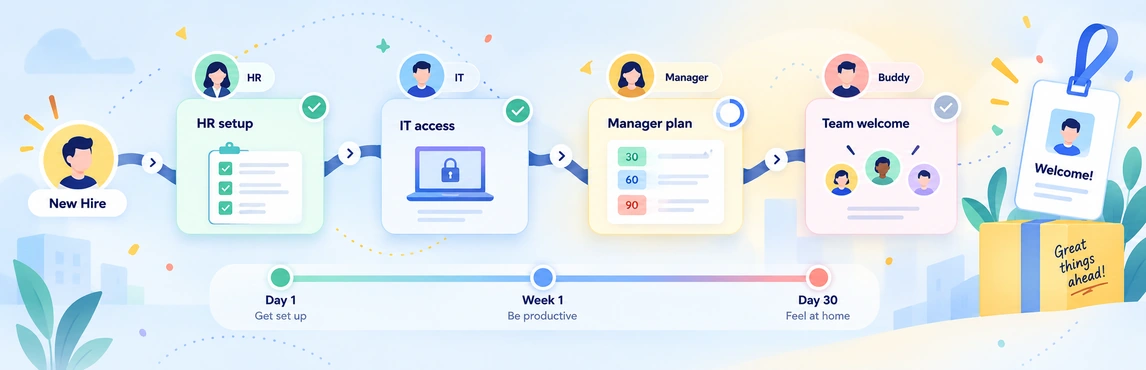
- Timeline Syncing: Map out your hiring waves to ensure infrastructure (IT, HR, Office Space) is ready before the first desk is filled.
Attrition and Retirement Scenarios: Protecting the Core
Losing a key leader or a specialized expert shouldn’t paralyze a department. Scenario charts allow you to review which teams are most exposed and identify ready-now or near-ready successors within your talent pipeline.
- Exposure Review: Map out what happens if high-impact individuals leave. Which teams become rudderless?
- Succession Readiness: Overlay your talent pipeline to see if you have an internal “ready-now” successor or if a departure creates a critical vacancy.
- Knowledge Redundancy: Identify “solo” roles where specialized institutional knowledge is siloed, allowing you to plan for cross-training before an exit occurs.
Cost and Budget Scenarios: Balancing the Books
Finance and HR often speak different languages. Scenario-based charts bridge that gap by allowing you to visually compare the impact of a full-time heavy model versus a mix of contractors and automation.
- Staffing Model Comparisons: Compare the structural and financial impact of a “full-time heavy” model versus a mix of contractors and automation.
- Build vs. Buy vs. Borrow: Visually weigh the cost of upskilling current staff against the immediate expense of external executive search.
- Optimization Modeling: Test how a decentralized structure might reduce overhead costs without sacrificing localized speed.
By modeling these scenarios visually, you move away from abstract “best-guess” projections. Stakeholders can see the ripples of every decision, making your strategic discussions faster, more grounded, and significantly more productive.
Closing the Capability Gap: The Bridge to Learning & Development (L&D)
The most modern organizations are shifting from a “job-title” mindset to a skills-driven mindset. In this model, your org chart doesn’t just map hierarchy; it maps your company’s collective intelligence. By layering skills and capabilities onto your visual plan, you create a direct bridge to your Learning & Development (L&D) strategy.
Mapping Skills in Org Charts
To build a skills-forward organization, your planning chart should include data points that go deeper than a LinkedIn headline. Key indicators to visualize include:
- Core Competencies: The “must-have” technical or soft skills required for a role to function.
- Required credentials or critical role requirements: A quick check for positions that depend on specific qualifications or access.
- Proficiency Levels: Distinguishing between a “Junior” and an “Expert” to ensure balanced team composition.
While org charts don’t replace L&D platforms, they provide the visual context that helps leaders decide where learning investments will have the greatest impact.
Connecting Current and Future Skills
The “Future-State” org chart often reveals daunting gaps—perhaps a sudden need for AI prompt engineering or advanced data science. Before you reflexively post a job opening, the “Current-State” chart allows you to perform a Gap Analysis.
Instead of asking, “Who do we need to hire?” you start asking, “Who do we already have with the foundation to learn this?”
Org Charts as an L&D Planning Tool
When you compare your current skills map against your future-state requirements, the org chart becomes your L&D roadmap. This visual comparison empowers you to:
- Identify Upskilling Opportunities: Spot groups of employees who share a common skill gap and deploy targeted training.
- Design Internal Mobility Paths: Visualize “adjacent” roles where an employee’s current skills make them a perfect candidate for a future-state position.
- Reduce External Hiring Costs: Investing in your existing team is often faster and more cost-effective than a six-month executive search.
By integrating skills into your org chart, you stop treating talent as a static resource and start treating it as a dynamic asset that can be grown, shifted, and optimized.
Breaking Silos with a Workforce Plan: Collaboration and Alignment Across the Organization
Workforce planning is often siloed within HR, but for a strategy to actually work, it cannot be an HR-only activity. A visual org chart acts as a shared planning source of alignment, breaking down silos and ensuring that everyone—from the CFO to the Department Head—is aligned around the same planning model.
Cross-Functional Alignment
Effective workforce planning requires a “triple threat” of perspectives. A shared org chart brings these distinct lenses into one view:
- HR (Talent & Capability): Focuses on “Who do we have, what can they do, and how do we find the rest?”
- Finance (Cost & Budget): Focuses on “What is the ROI, and does this headcount plan align with our long-term fiscal runway?”
- Business Leaders (Strategy & Execution): Focuses on “Does this structure actually allow my team to hit their KPIs and ship faster?”
When these three groups collaborate on a visual model, the friction of “disconnected spreadsheets” disappears. Budgeting is no longer an abstract number; it’s a specific seat on a specific team.
Communication and Buy-In
Ambiguity is the enemy of execution. When a restructure or a hiring surge is trapped in a 50-page slide deck, it breeds confusion and resistance. A visual workforce plan solves this by:
- Revealing the Rationale: Stakeholders can instantly see why a new layer of management is being added or why two teams are being merged.
- Clarifying Timing and Dependencies: It makes the “order of operations” obvious. For example, showing that the “Head of Engineering” must be hired before the four “Senior Dev” roles can be visualized.
- Building a Shared Vision: It transforms a “plan” into a “destination.” Leaders aren’t just looking at data; they are looking at the future of the company they are building together.
By using a visual org chart as a collaborative workspace, you move from “seeking permission” to “building consensus,” turning a complex organizational shift into a shared mission.
Managing Risks: Accuracy and Ethics in Workforce Modeling
While a workforce planning org chart is a high-leverage tool, it isn’t “set it and forget it.” Like any strategic model, its value depends on the quality of the data and the ethics of those who manage it. Ignoring these risks can lead to the very confusion and friction you’re trying to solve.
The Maintenance Trap: Keeping Data Fresh
The fastest way to lose stakeholder buy-in is to present an outdated chart. Workforce planning is a living process, not a static project.
- The Risk: Decisions made on “last quarter’s data” can lead to over-hiring or missed budget targets.
- The Fix: Schedule regular review cycles—ideally monthly or quarterly—to sync your “Current-State” with actual HRIS data.
Over-Engineering: Death by Detail
In the quest for clarity, it’s easy to fall into the trap of “too much information.” If your org chart is cluttered with every minor task and sub-metric, it loses its power as a strategic map.
- The Risk: “Analysis paralysis” occurs when leadership can’t see the forest for the trees.
- The Fix: Focus on high-leverage data points—roles, key skills, and budget status—rather than exhaustive job descriptions.
Privacy and Ethics: The Human Element
Workforce planning org charts visualize strategic people data for decision‑making, but they are not systems of record like HRIS or payroll platforms. When organizations choose to visualize planning indicators such as promotion readiness, performance signals, or compensation ranges onto a visual map, your org chart becomes one of the most sensitive documents in the company.
- Data Sensitivity: Visualizing sensitive planning signals about individuals can have major cultural implications if shared too broadly.
- Bias Mitigation: Data-driven planning should reduce bias, not automate it. Ensure your “Future-State” modeling doesn’t inadvertently favor specific demographics or exclude diverse talent pipelines.
Best Practices for Governance
To protect both your people and your strategy, implement these guardrails:
- Strict Access Controls: Use “View-Only” permissions where appropriate and configure field-level access separately for performance, succession, and compensation data. A 6-tier sensitivity model keeps unauthorized viewers from seeing that those restricted fields exist at all, even when department-specific views are shared more widely.
- Clear Data Ownership: Define who is responsible for updating the “Shadow Roles” versus who manages the “Filled Roles.”
- Ethical Oversight: Regularly audit your planning models to ensure they support fair, consistent workforce decisions.
By treating your org chart with the same security and rigor as a financial audit, you ensure it remains a trusted “north star” for the entire organization.
Best Practices for Effective Workforce Planning Org Charts
A workforce planning org chart is only as powerful as the discipline behind it. To move from a “one-off project” to a sustainable strategic tool, you need to balance high-level vision with operational rigor. Use these best practices to ensure your charts stay relevant and reliable.
Design for Evolution, Not Perfection
In a modern business, the only constant is change. Your org chart should be built to pivot.
- Avoid “Hard-Coding”: Don’t treat your future-state as a fixed destination. Build it with the flexibility to adjust as market conditions or pivot points arise.
- Scalable Frameworks: Use standardized role levels and naming conventions so that as you add “Shadow Roles,” they plug into your existing structure seamlessly.
Separate Operational vs. Strategic Views
Not everyone needs to see everything. To protect both privacy and focus, create distinct “layers” or versions of your chart.
- The Operational View: A clean, accessible map for the broader team showing reporting lines and open vacancies.
- The Sensitive Planning View: A restricted layer for HR and Executives that includes budget data, performance scores, and succession “flight risks.”
Establish a “Rhythm of Review”
The greatest risk to a planning chart is “data decay.” If the chart doesn’t match reality, leadership will stop trusting it.
- Monthly Syncs: Briefly review “Current-State” vs. “Future-State” to see if hiring is on track.
- Quarterly Deep-Dives: Re-evaluate your scenario models. Does the “Aggressive Growth” plan still make sense, or do we need to shift to a “Conservative” model?
Assign Clear Data Ownership
When everyone is responsible for the data, nobody is. Define the “Source of Truth” for every part of the chart.
- The Data Steward: Usually someone in HR Ops who ensures the “Current-State” matches your HRIS or payroll data.
- The Strategic Owner: The Business Leader or Finance Partner who manages the “Shadow Roles” and budgeted placeholders.
The Ultimate Rule: Clarity Over Complexity
It’s tempting to add every possible metric—from office location to individual personality types—but clutter is the enemy of speed.
- Keep it Scannable: A stakeholder should be able to look at a department and understand its capacity and gaps within 30 seconds.
- Focus on Impact: If a data point doesn’t help you make a decision about hiring, moving, or developing talent, leave it off the main view.
By following these practices, you transform your org chart from a “task on a to-do list” into a high-performance engine that empowers your team to move with clarity and confidence.
The Next Frontier: Future Trends in Workforce Mapping & AI
The traditional, top-down hierarchy is hitting its expiration date. As work becomes more decentralized and fast-paced, the tools we use to visualize our teams are evolving. Org charts are moving away from being simple “who reports to whom” directories and becoming sophisticated engines of adaptability and readiness.
Skills-First Organizational Design
We are entering an era where what you can do matters more than what your title is. Future-ready org charts will prioritize a “Skills-First” view.
- The Shift: Instead of seeing a “Marketing Manager,” you’ll see a node of capabilities: SEO Strategy, Data Analytics, and Brand Storytelling.
- The Benefit: This allows leaders to assemble “strike teams” based on the specific skills needed for a project, rather than just pulling people from the same department.
AI-Assisted Workforce Modeling
AI is increasingly acting as a planning co‑pilot rather than a decision engine. In workforce planning, AI‑assisted tools are beginning to support org design by accelerating modeling, scenario visualization, and structural exploration—especially when combined with external analytics and HR data sources.
- Supporting Attrition Analysis: When paired with HR analytics tools, workforce org charts can visualize areas exposed to attrition risk rather than predicting it independently.
- Structure Exploration: AI‑assisted modeling can help teams rapidly test alternative reporting structures and visualize their downstream impact.
- Skill Gap Highlighting: Future‑state org charts can surface capability gaps that analytics tools or leaders may want to investigate further.
Fluid, Project-Based Structures
The “stable” org chart is being replaced by a more “liquid” model. As companies embrace agile methodologies, the org chart must reflect how work actually gets done.
- Dynamic Teams: Visualizing “pods” or “squads” that form around a specific goal and dissolve once it’s achieved.
- Fractional Roles: Better visualization of contractors, freelancers, and internal “gig” workers who contribute to multiple departments simultaneously.
From Hierarchy to Adaptability
The ultimate trend is a move toward Organizational Health. Future org charts won’t just show power structures; they will show readiness. They will answer: How quickly can we pivot to a new market? Do we have the cultural and technical “muscle” to survive a disruption?
By embracing these trends, your org chart stops being a record of the past and starts being a practical planning tool for a more adaptable organization.
A strong workforce planning org chart helps teams move from headcount debate to structure-based decisions. Use it to compare scenarios, connect skills and succession needs to future roles, and keep HR, Finance, and business leaders aligned on the same model through shared baseline and department views. When that work becomes continuous rather than occasional, a more governed org-intelligence layer is often the next step.
Helpful Resources
Build, analyze, and plan org structures with Creately’s workforce planning tool.
Learn how to plan organizational restructures using scenario planning.
Learn how to plan organizational restructures using scenario planning.
Explore rules for drawing organizational charts and org chart best practices to make your org chart more meaningful and useful.
Easily make organizational charts to visualize the reporting structure of your organization for effective HR planning and management with org chart maker.
Learn simple steps to create an org chart that fits your business, along with tips and tools to make it easy to build and update.