Family systems are complex, and every profession looks at them differently. Genetic counselors focus on hereditary disease patterns, therapists explore emotional dynamics, and social workers track risk factors and living conditions. Genogram field packs solve this by letting you activate only the data fields relevant to your work, making it easier to create a genogram for different professions.
In this guide, you’ll learn what genogram field packs are, the types available in Creately, and how to use them to capture structured family data for clinical, legal, social work, and research workflows.
What Are Genogram Field Packs?
Genogram field packs are groups of structured data fields that act as lenses for different professions. Each pack adds relevant fields to individuals and relationships in the genogram, allowing you to capture the information that matters for your work. You can activate or deactivate packs depending on the case, study, or session. This keeps the genogram workspace clean while still capturing detailed, structured family data.
For example:
- A genetic counselor activates medical fields and genetic markers.
- A family therapist tracks attachment styles and trauma history.
- A social worker documents housing stability and risk indicators.
In Creately, these field packs enable genogram customization, allowing you to tailor the data captured in your diagram to match your profession or workflow.
Core Identity Field Pack
This field pack records the basic identifying information for each individual in the genogram. These details provide the foundational context needed to understand family structure and generational timelines before adding medical, social, legal, or research information.
| Field | Purpose |
|---|---|
| Name | Identify each individual |
| Birth Year | Track generational timelines |
| Death Year | Identify deceased individuals |
| Age | Understand age distribution across generations |
| Sex | Clinical demographic classification |
| Gender Identity | Respect gender identity representation |
| Cultural Heritage | Track ethnic or cultural background |
| Religion / Spirituality | Capture belief systems influencing family dynamics |
Medical & Genetic Field Pack
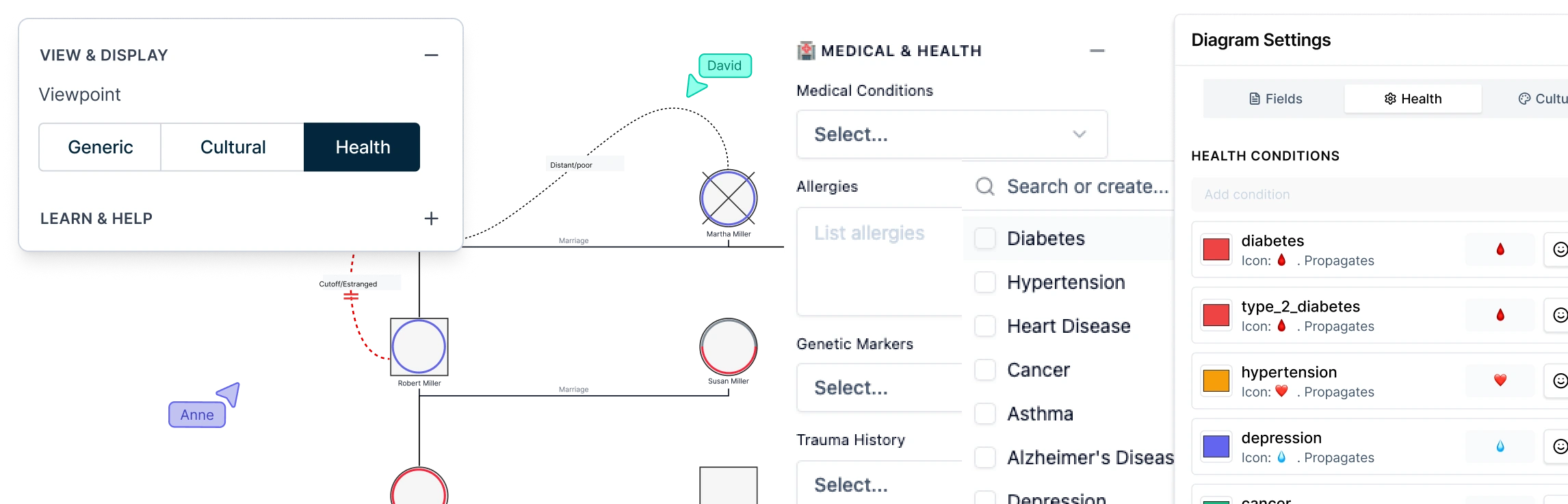
This field pack helps structure family health history so clinicians can review medical context across multiple relatives in one view. Using medical genogram software, these records support clearer interpretation of family health patterns during clinical review, genetic counseling preparation, and hereditary risk assessment.
| Field | Clinical Purpose |
|---|---|
| Medical Conditions | Track diseases across generations |
| Cause of Death | Identify hereditary mortality patterns |
| Current Medications | Document treatment history |
| Allergies | Track inherited sensitivities |
| Major Surgeries | Record major medical interventions |
| Immunization Status | Monitor vaccination records |
Mental Health Field Pack
This field pack helps organize psychological context within the genogram so clinicians and therapists can review emotional and behavioral influences across family members. It supports clearer understanding of how mental health experiences and coping patterns may shape wellbeing and relationships across generations.
| Field | Clinical Purpose |
|---|---|
| Substance Use | Track addiction patterns |
| Attachment Style | Understand relational health context |
| Trauma History | Track traumatic experiences |
| Coping Strategies | Identify coping behaviors |
| Mental Health Treatment | Document psychiatric care |
Genetic Information Field Pack
This field pack helps organize hereditary context within the genogram so clinicians can review genetic influences across multiple family members. Using genetic counseling genogram software, these records support clearer interpretation of inheritance trends during genetic counseling, risk assessment, and family history analysis.
| Field | Clinical Purpose |
|---|---|
| Genetic Markers | Track hereditary risk markers |
| Genetic Screening | Record status of genetic screening |
| Intergenerational Patterns | Detect repeating health or behavioral patterns |
Legal & Estate Field Pack
This field pack helps document legal roles and authority structures within a family so professionals can review how decision-making responsibilities and estate roles are distributed. When using genogram software for legal and estate planning, these records support clearer interpretation of family authority relationships during estate planning, legal review, and case documentation.
| Field | Legal Purpose |
|---|---|
| Legal Status | Identify legal capacity |
| Guardianship | Identify legal guardians |
| Power of Attorney | Track decision-making authority |
| Advance Directives | Record healthcare directives |
| Will Status | Identify whether a will exists |
| Trustee | Identify trust administrators |
| Executor | Track estate executors |
| Beneficiaries | Identify inheritance recipients |
Financial Field Pack
This field pack helps document the financial context within a family so professionals can review economic stability and responsibilities across relatives. It provides additional context for family assessments, estate planning discussions, and social case evaluations where financial conditions influence family circumstances.
| Field | Financial Insight |
|---|---|
| Income Source | Identify financial support |
| Insurance Coverage | Track health or social insurance |
| Major Assets | Document property or wealth |
| Outstanding Debts | Identify financial obligations |
Social & Living Field Pack
This field pack helps document the social environment surrounding individuals and families, providing context about living conditions, support systems, and external influences. When using social work genogram software, these records help professionals review how social factors may affect family stability and wellbeing during case assessment and planning.
| Field | Purpose |
|---|---|
| Marital Status | Track relationship status |
| Housing Status | Identify housing stability |
| Support Network | Map community or extended support |
| Services Received | Document social service involvement |
| Risk Factors | Track domestic violence, substance abuse, etc. |
| Strengths & Resources | Identify resilience and support systems |
Education & Work Field Pack
This field pack helps document education and employment context for individuals within the family. Recording these details provides additional insight into socioeconomic conditions, career stability, and generational trends that may influence family circumstances and opportunities.
| Field | Purpose |
|---|---|
| Employment Status | Track job stability |
| Occupation | Understand professional background |
| Education Status | Track current education involvement |
| Education Level | Identify educational attainment |
Relationships & Therapy Field Pack
This field pack helps document relational context within the genogram so therapists and counselors can review interaction patterns and emotional influences between family members. Using therapy genogram software, these records support clearer understanding of how relationships shape behavior and family functioning during therapeutic assessment.
| Field | Purpose |
|---|---|
| Emotional Bonds | Document closeness, conflict, or distance |
| Communication Style | Understand interaction patterns |
| Family Role | Identify roles such as caretaker or scapegoat |
| Treatment Goals | Track therapeutic objectives |
| Personal Strengths | Record protective traits |
Research Data Field Pack
This field pack helps structure participant and study information within the genogram so researchers can document family data consistently across studies. When using research genogram software, these records support clearer tracking of research context and longitudinal observations for analyzing patterns across study populations.
| Field | Research Purpose |
|---|---|
| Research ID | Unique participant identifier |
| Study Cohort | Assign individuals to research groups |
| Consent Status | Track research consent |
| Data Quality | Evaluate completeness of records |
| Data Sources | Identify source of collected data |
| Data Collection Date | Track study timeline |
| Follow-up Status | Record participant status in the study |
| Biospecimen Collection | Track biological samples |
| Confidentiality Level | Define privacy classification |
| Publication Status | Track research outputs |
Contact & Location Field Pack
These fields capture practical information that connects individuals in the genogram to real-world context and communication details. They help professionals record where a person is located and how they can be contacted when the genogram is used alongside case records, research data, or clinical documentation.
| Field | Purpose |
|---|---|
| Location | Geographic context |
| Contact Information | Communication details |
Notes Field Pack
These fields capture case-specific observations and annotations, helping professionals attach clinical, legal, social work, or research notes directly to the relevant individuals or relationships in the genogram.
| Field | Purpose |
|---|---|
| Medical Notes | Clinical observations |
| Social Work Notes | Case documentation |
| Legal Notes | Legal case information |
| Therapy Notes | Session observations |
| Research Notes | Study-related observations |
| General Notes | Additional context |
How to Activate/Deactivate Genogram Field Packs in Creately
The genogram field toolkit works like data lenses. You turn on the fields you need for a specific case and hide the ones you don’t. This keeps your genogram focused and prevents your workspace from being cluttered with unnecessary data fields.
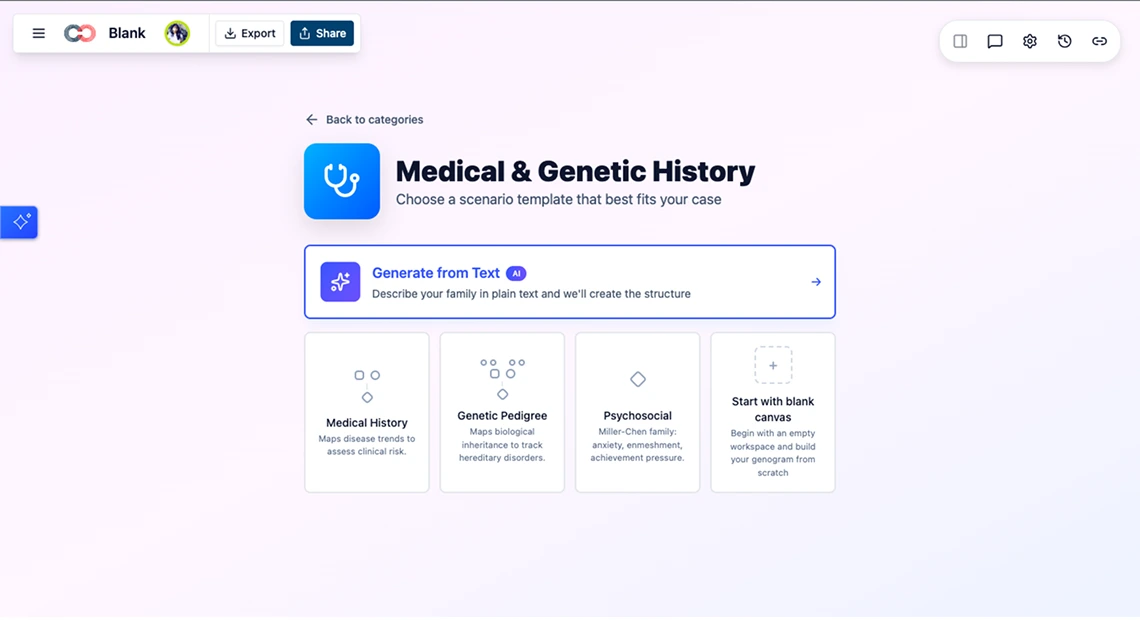
Step 1: Open Your Genogram Workspace
Start by creating a new genogram from a template, or open an existing genogram diagram.
Step 2: Open the Field Pack Settings
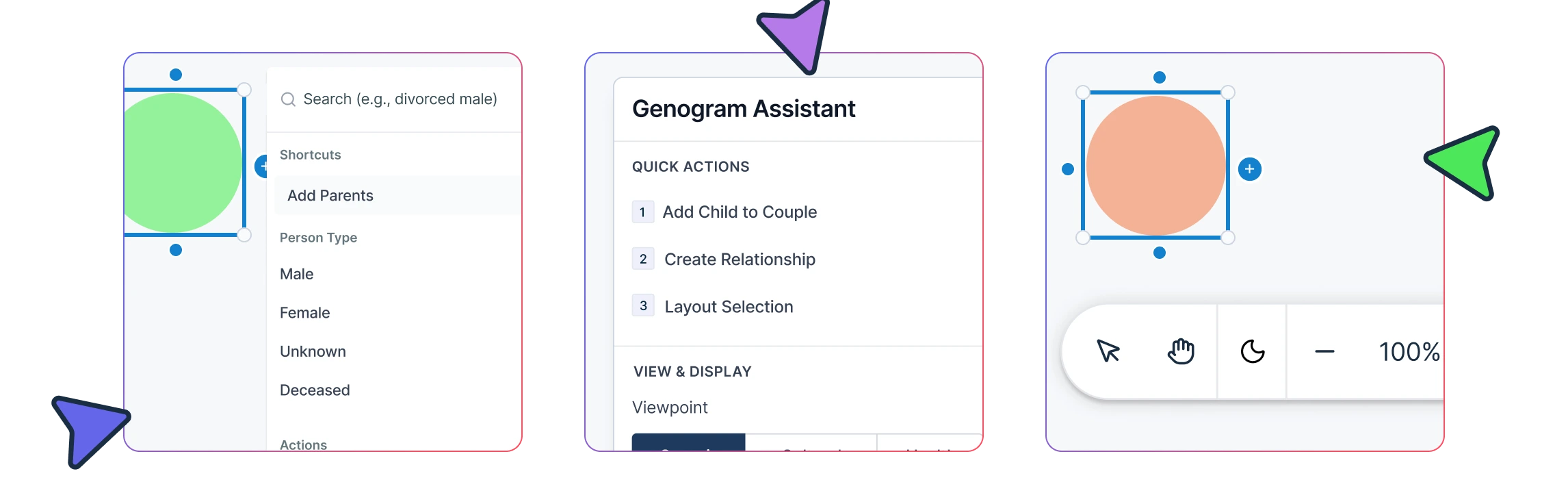
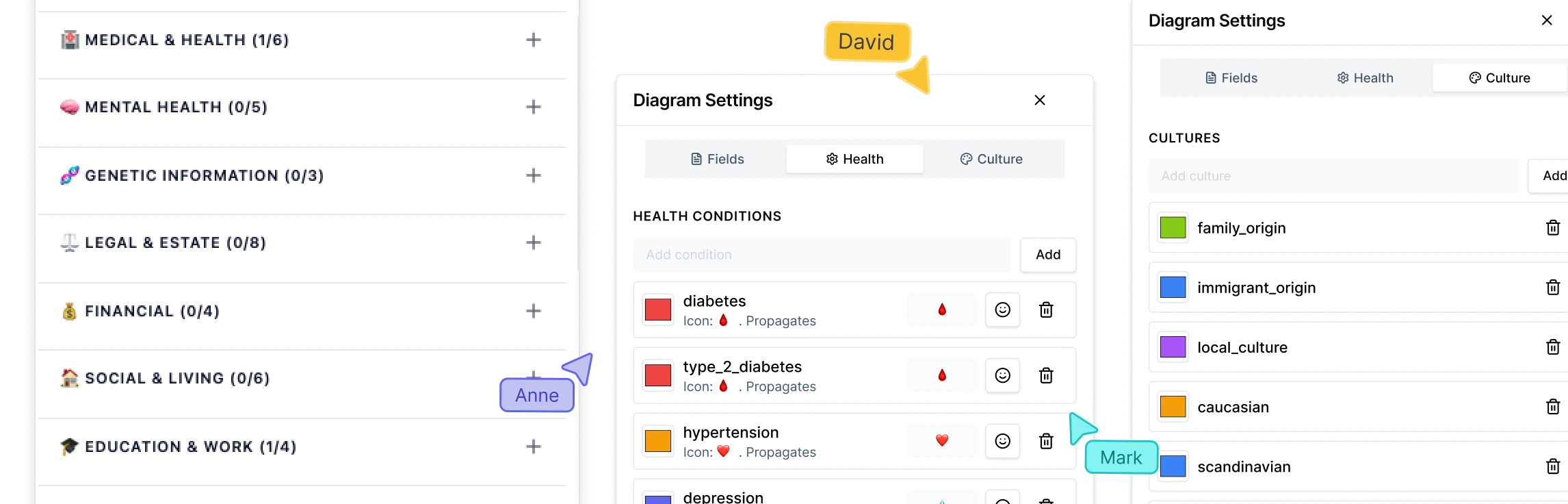
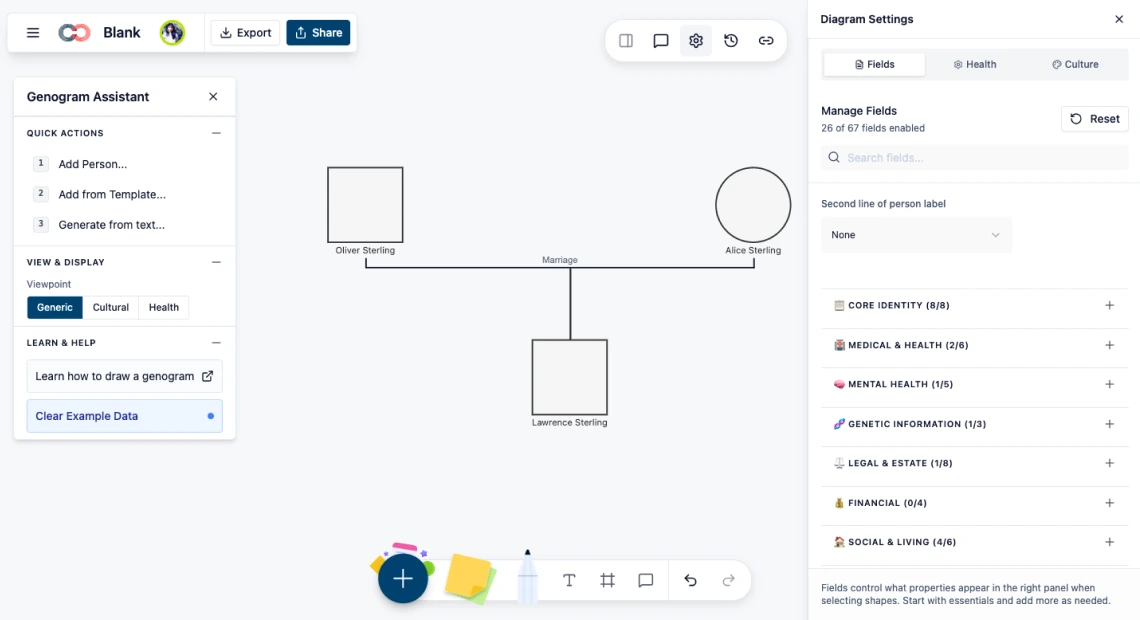
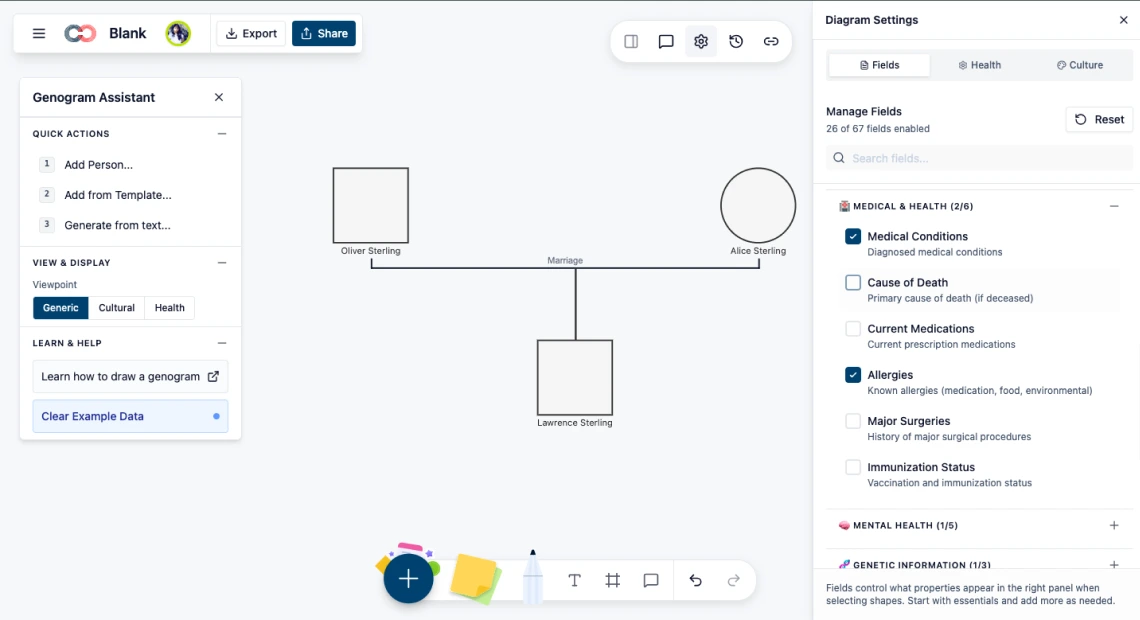
Select a person in the genogram, and go to Diagram Settings in the toolbar. A list of the available genogram information field packs appears. Each pack contains structured genogram data fields that store information about individuals, relationships, and family context.
Step 3: Activate the Field Packs You Need
Tick the field packs relevant to your work. Once activated, the fields from that pack immediately appear in the Properties panel for each individual in the genogram.
Step 4: Add Data to Individuals or Relationships
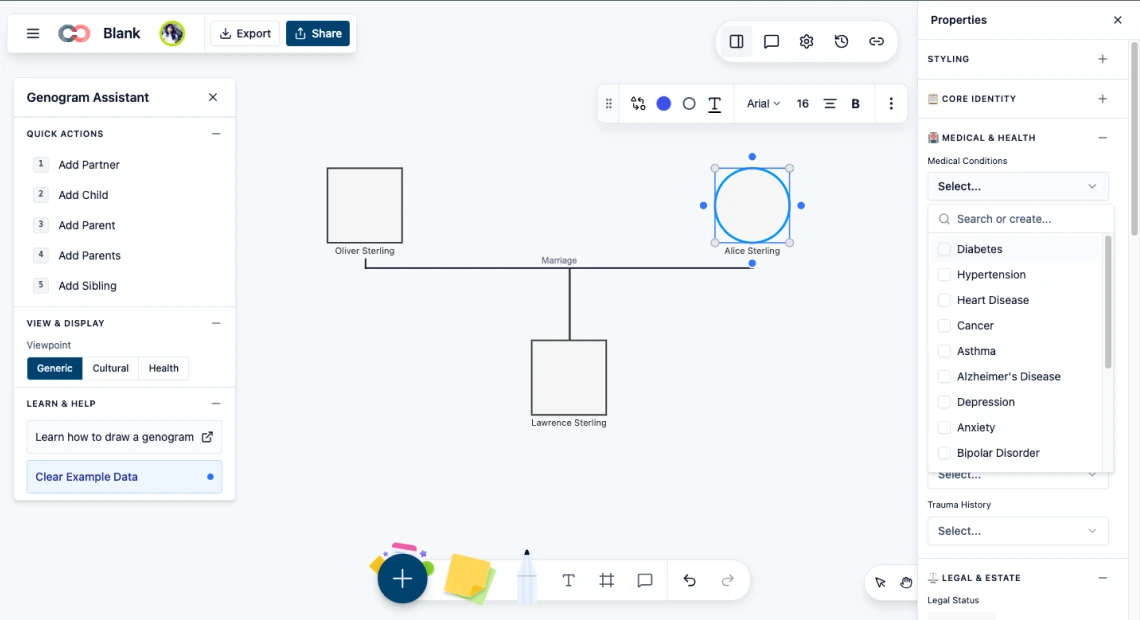
After activating field packs, select an individual in the genogram, go to the Properties panel in the toolbar, and enter the relevant information in the available fields.
Step 5: Deactivate Unnecessary Field Packs
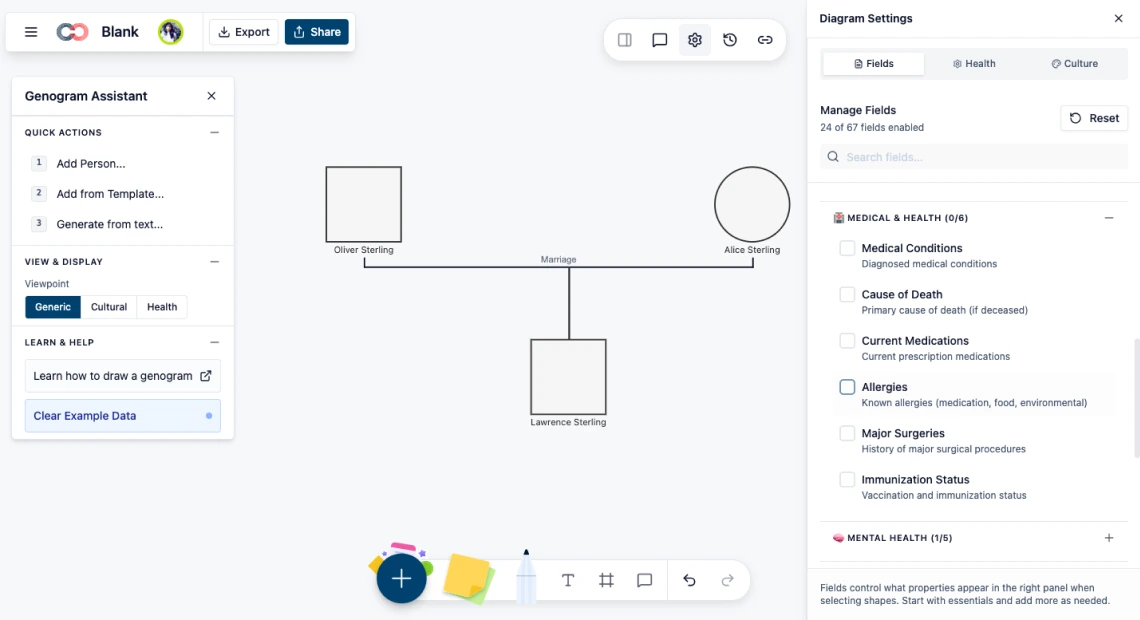
If a pack is not needed, return to Diagram Settings, and untick the pack. The associated fields will be hidden from the Properties panel. Existing data is not deleted, and remains hidden until the pack is activated again.
These structured fields transform the genogram from a simple diagram into a structured case documentation tool. For a complete walkthrough of building a genogram from scratch, read our how to make a genogram guide for a more in-depth tutorial on creating clinical-grade genograms.
How the Genogram Field Toolkit Works With Collaborators
Professional genogram field packs also support multi-disciplinary collaboration. Different collaborators can activate the packs relevant to their role while working on the same genogram. This allows each person to view and edit the fields that support their specific professional workflow.
| Role | Field Packs Used |
| Genetic Counselor | Medical & Health, Genetic Information |
| Therapist / Counselor | Relationships & Therapy, Mental Health |
| Social Worker | Social & Living |
| Estate Planner / Lawyer | Legal & Estate, Financial |
| Researcher | Research Data |
Genogram information field packs make it easier to turn a genogram into a structured professional tool. By activating the packs relevant to your work, you can capture the medical, psychological, social, legal, or research data that matters most for your case. This flexibility allows professionals across different disciplines to build clearer, more meaningful genograms while keeping the diagram focused and easy to manage.
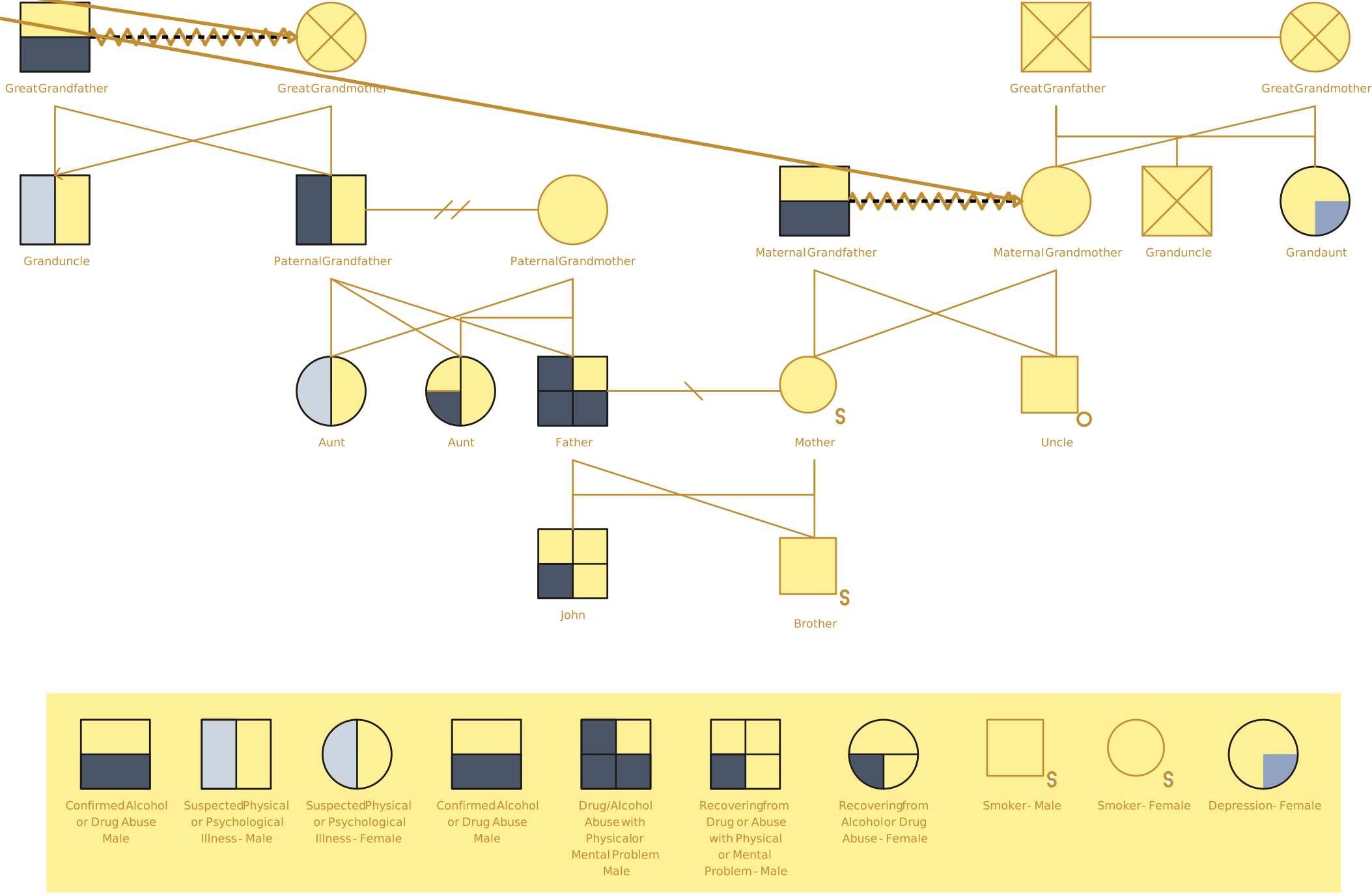
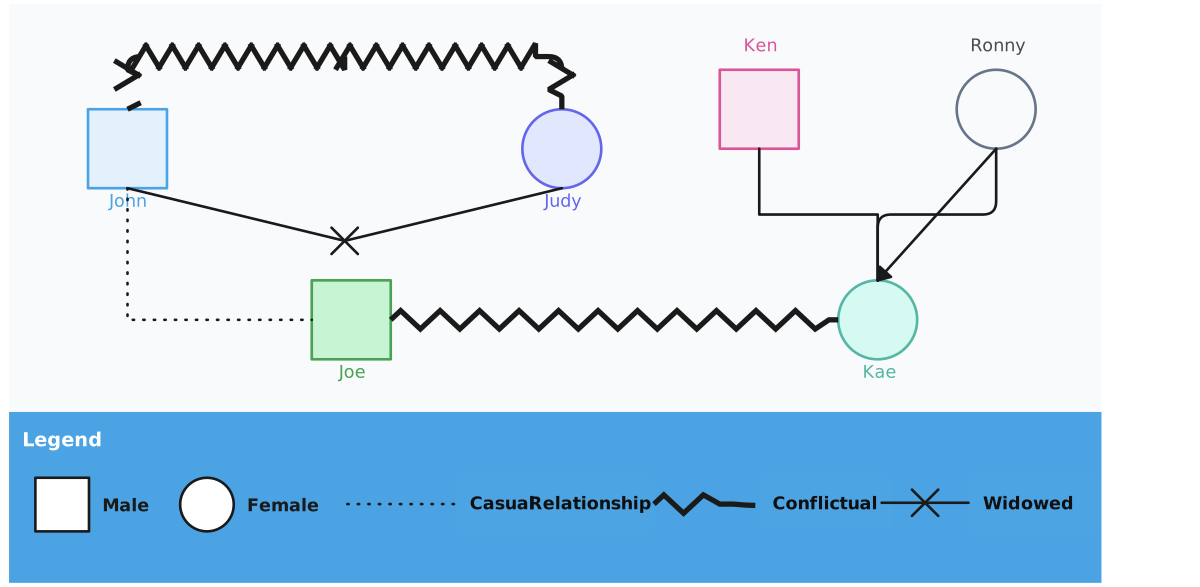
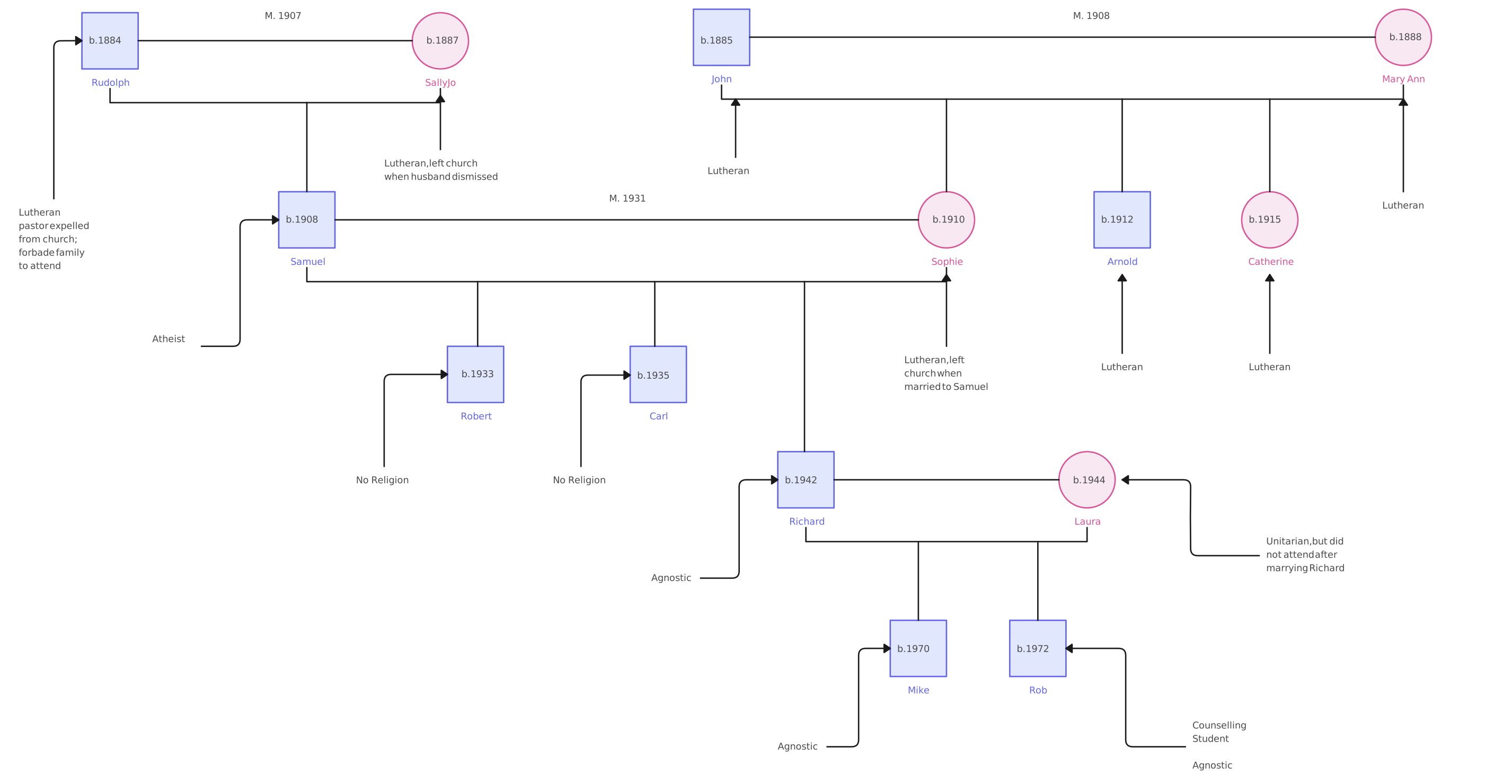
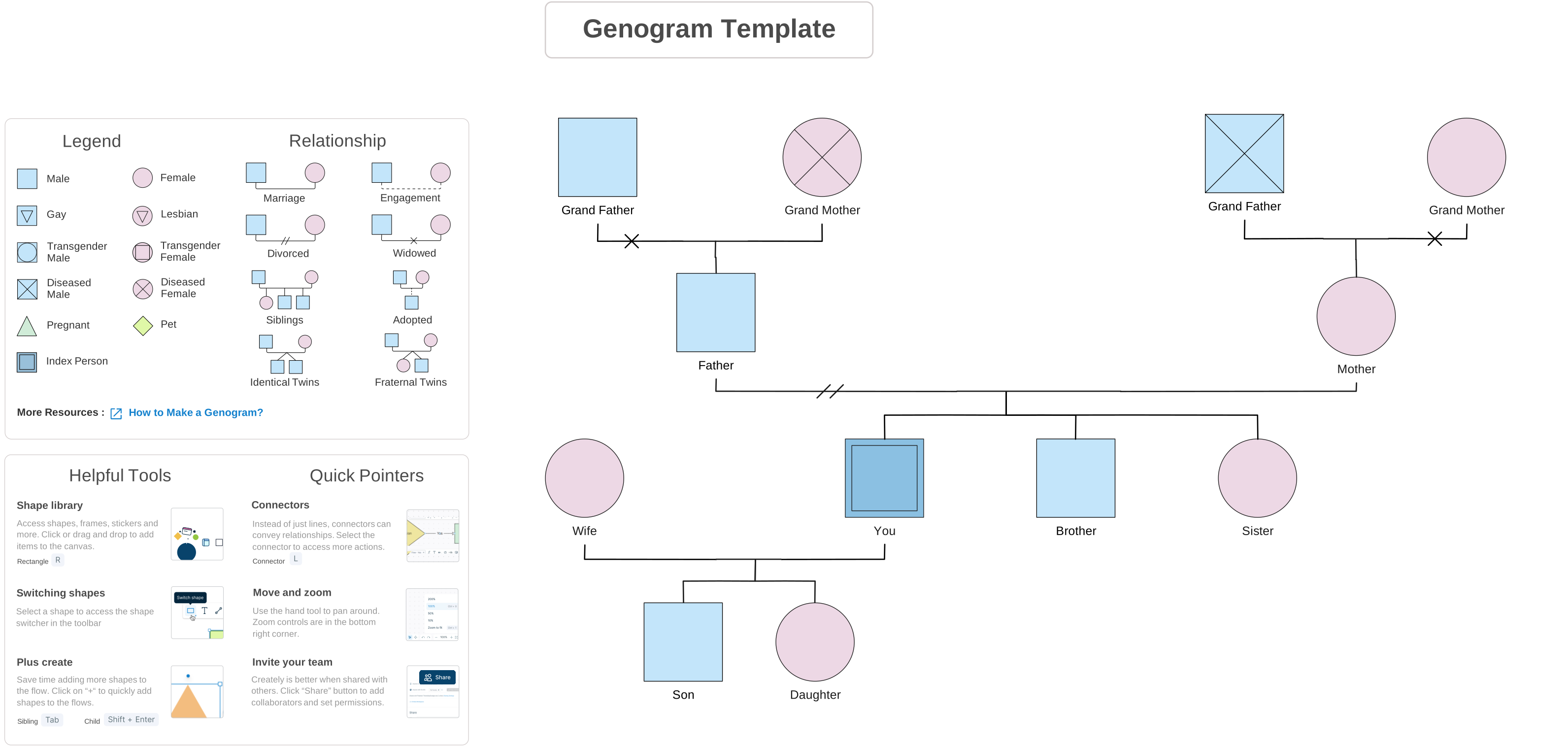
Free Genogram Templates to Use With Field Packs


Helpful Resources for Making Genograms
Learn how to make a genogram with a detailed tutorial and best practices.
Learn about genogram symbols, relationships, and how to use them in making genograms.
Learn how to use genogram keyboard shortcuts to speed up your genogram creation while talking to your clients.