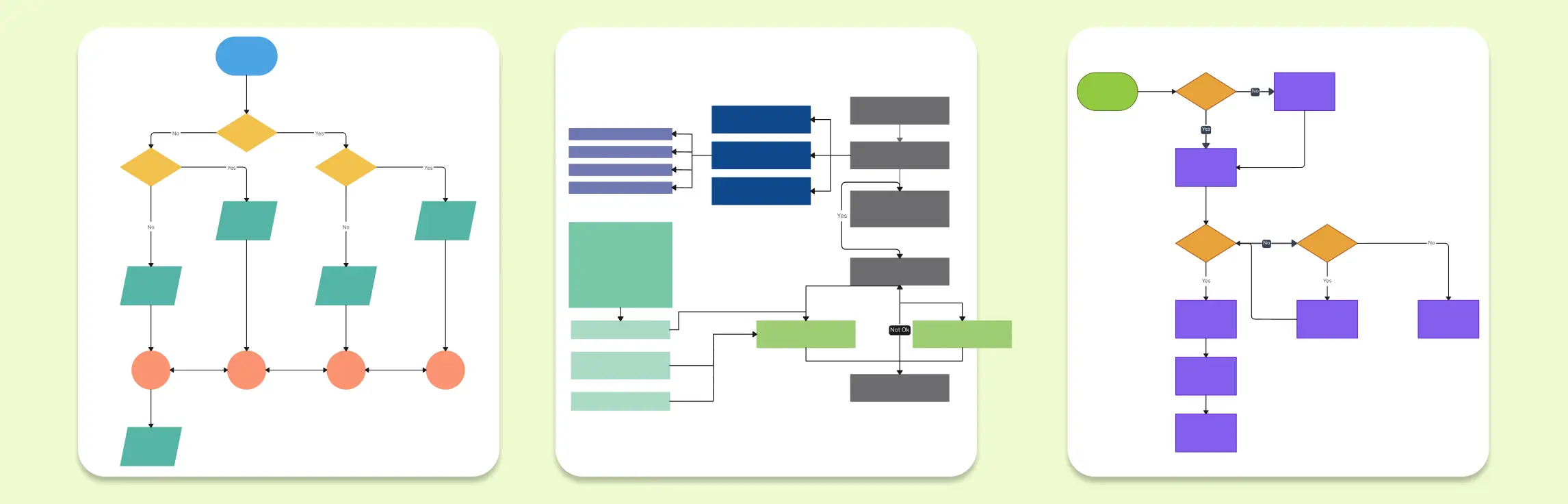
Programming flowcharts help you visualize how code works before you write, debug, or explain it. A good programming flowchart example shows the sequence of steps, decisions, loops, inputs, outputs, and errors that make up a program’s logic.
In this guide, you’ll find programming flowchart examples which you can use to plan algorithms, explain code to students or document software logic. You can also create your own programming flowchart templates in using Creately’s flowchart software.
14 Programming Flowchart Examples for Common Coding Concepts
Flowcharts are essential in programming for visualizing algorithms, logic flows, and decision-making processes. They simplify development, debugging, and optimization. Below are 14 key flowchart examples to enhance coding efficiency.
1. If-Then Flowchart

Matching Pseudocode
```text
Start
Input score
If score >= 50
Display "Pass"
Else
Display "Fail"
End
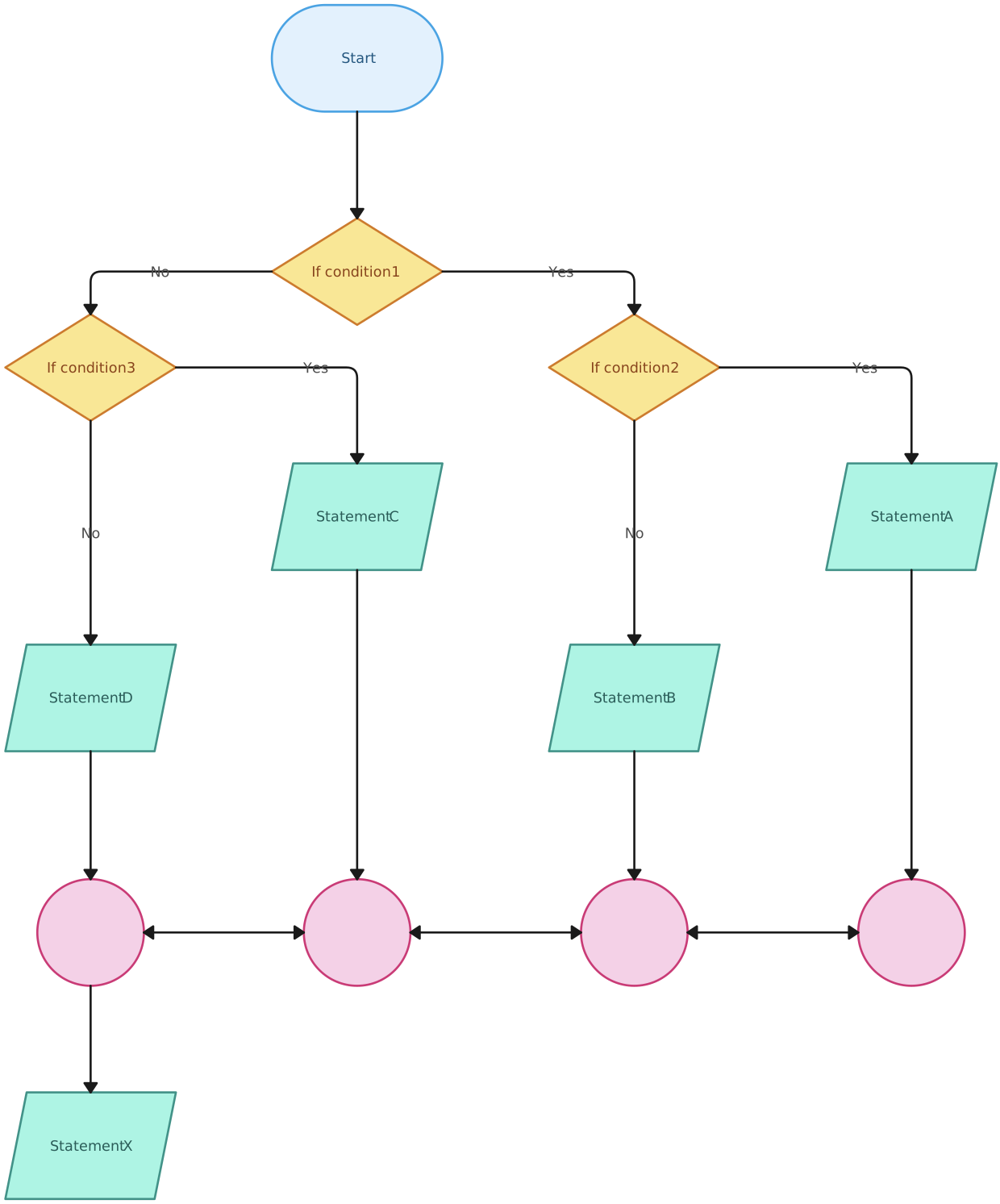
This programming flowchart example is useful for representing simple decision-making logic. It starts with user input, checks a condition, and branches into two possible outputs. This is one of the most common coding flowchart examples for beginners because it mirrors how if/else statements work in most programming languages.
Use Cases
- Pass/fail checks based on a set score or condition
- Login decisions for valid or invalid credentials
- Eligibility checks for age, membership, or account type
- Form validation for missing or incorrect inputs
- Discount rules based on order value or user status
- Approval workflows where a request moves forward only if a condition is met
2. Programming Flowchart
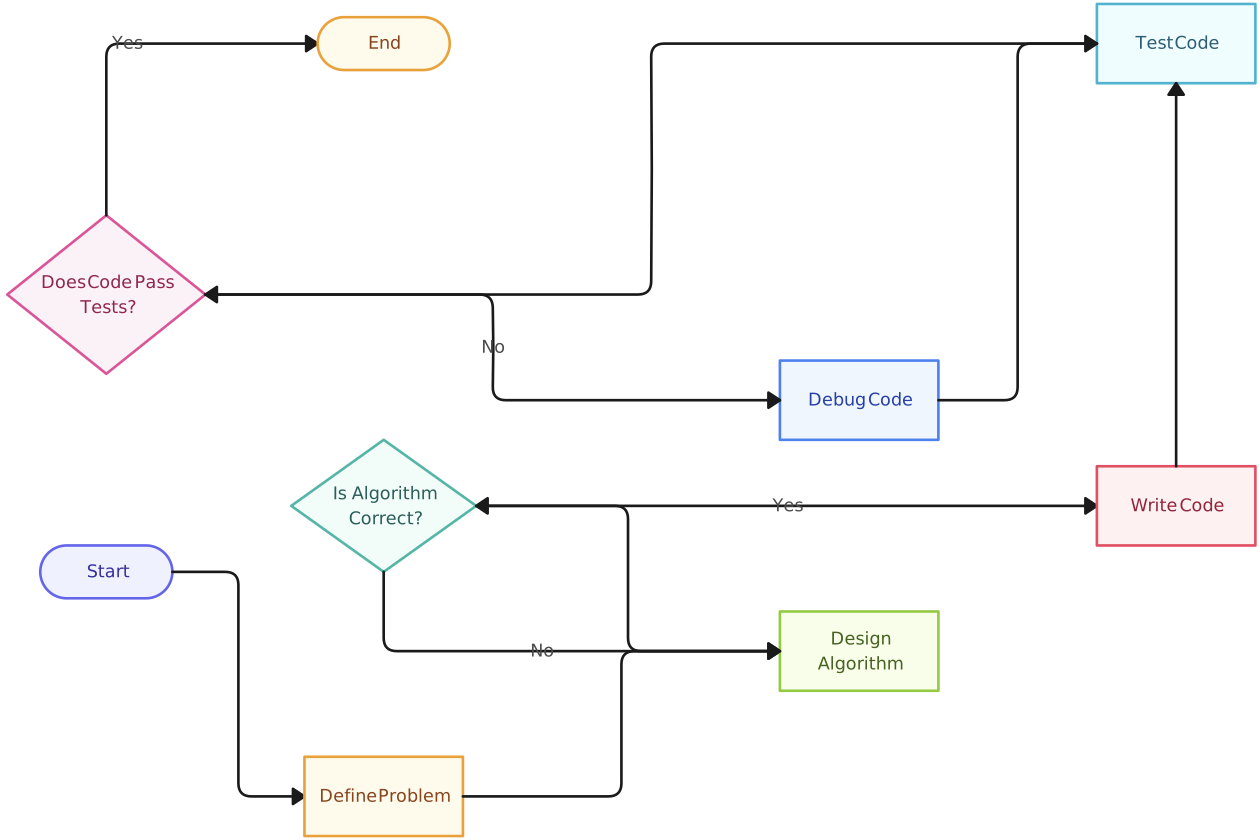
This flowchart visually represents the step-by-step logic of a program, helping developers understand execution sequences, loops, and decision structures. It is essential for breaking down complex algorithms into manageable parts.
Use Cases
- Planning program logic before writing code
- Breaking complex algorithms into smaller steps
- Showing how inputs, decisions, loops, and outputs connect
- Teaching beginners how a program runs from start to end
- Reviewing code logic with teammates before implementation
3. Python Flowchart
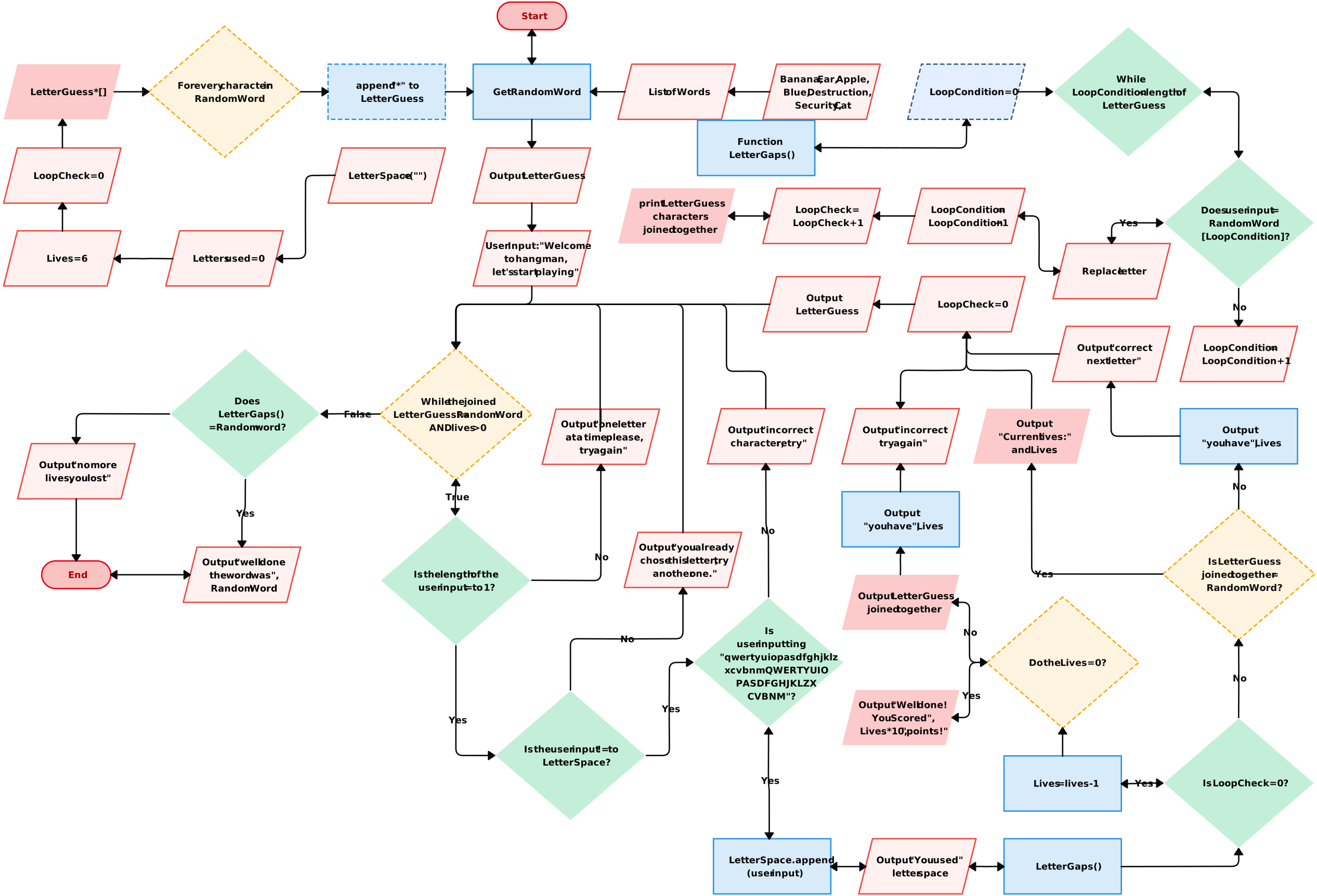
Python Code Example

score = int(input("Enter score: "))

if score >= 50:
    print("Pass")
else:
    print("Fail")
Designed specifically for Python programming, this flowchart aids in structuring loops, conditionals, and function flows. It simplifies Python-based algorithm visualization and debugging.
Use Cases
- Teaching Python conditionals, loops, and basic program flow
- Planning Python scripts before writing the full code
- Debugging simple Python logic and decision paths
- Explaining how user input leads to different outputs
- Documenting Python automation workflows
4. Java Flowchart
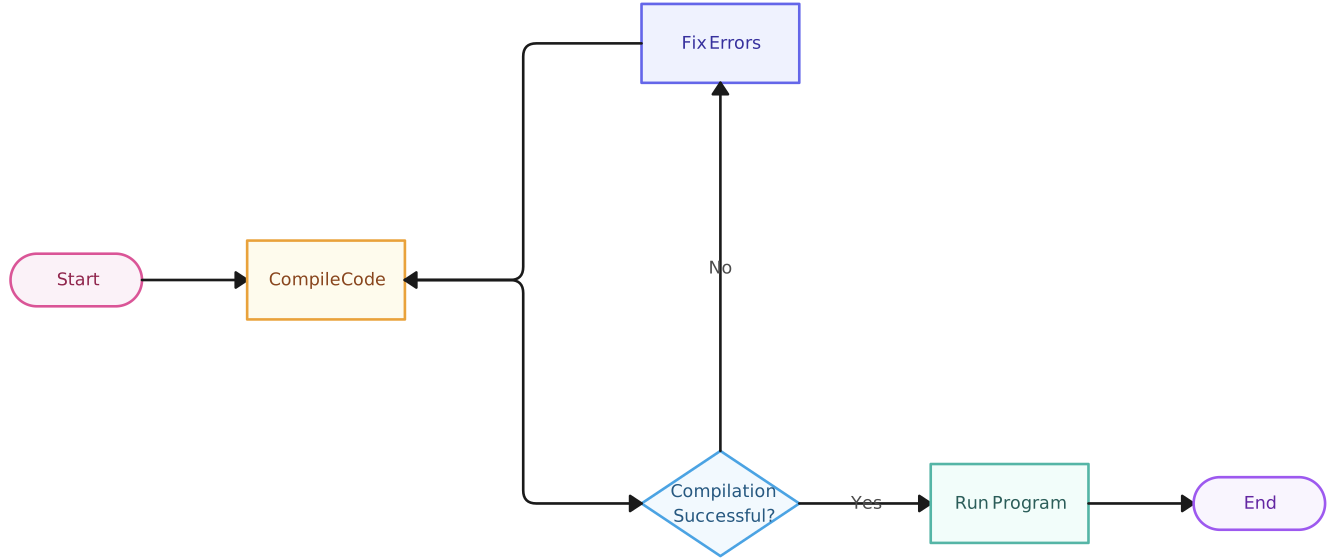
Java Code Example

public class GradeCheck {
    public static void main(String[] args) {
        int score = 75;

        if (score >= 50) {
            System.out.println("Pass");
        } else {
            System.out.println("Fail");
        }
    }
}
This Java-specific flowchart assists in visualizing object-oriented logic, method interactions, and control flow structures commonly used in Java development.
Use Cases
- Explaining Java conditionals, methods, and control flow
- Planning Java logic before writing the full program
- Showing how decisions change program output
- Teaching beginner Java programming structures
- Reviewing Java code logic before implementation
5. Web Development Flowchart
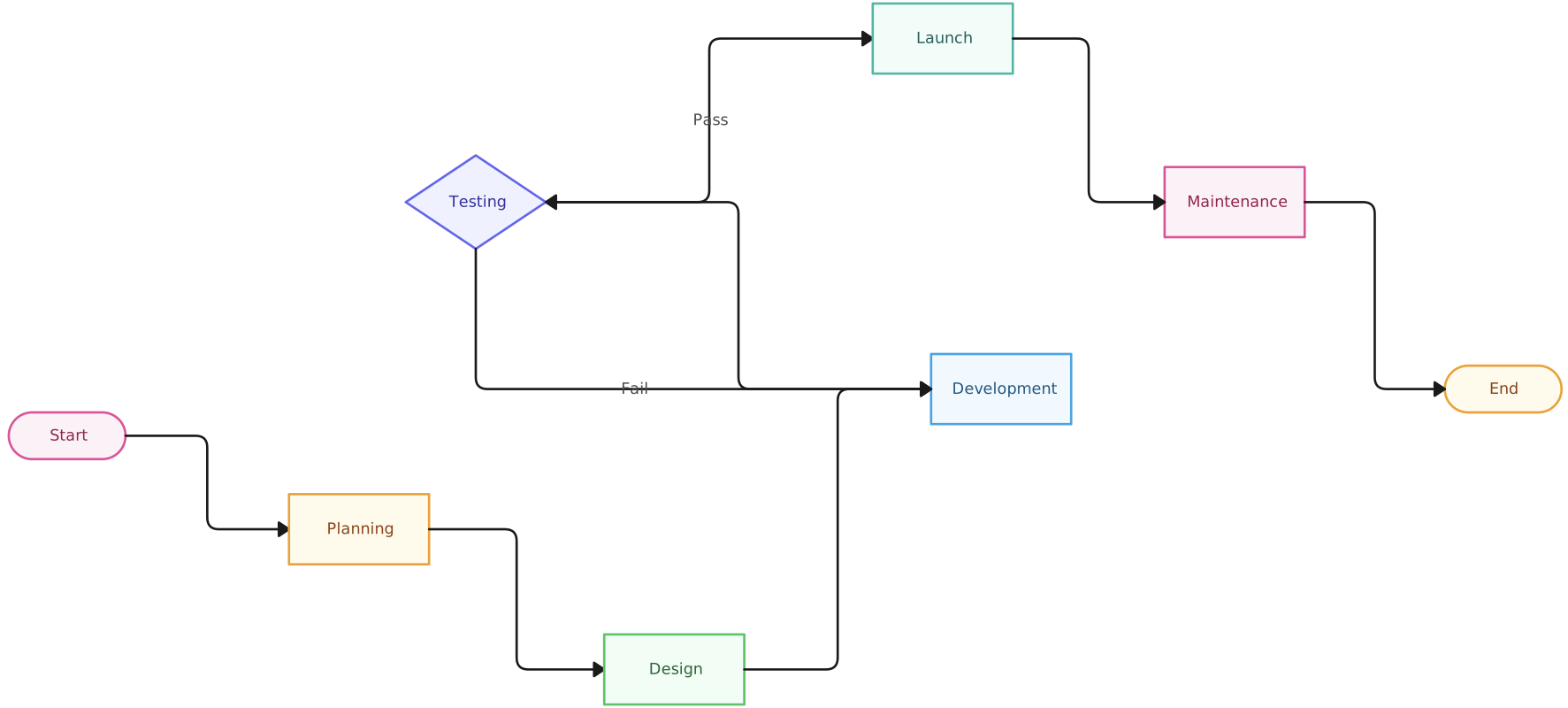
Ideal for front-end and back-end web development, this flowchart maps out website structures, navigation paths, and API interactions, ensuring streamlined web application workflows.
Use Cases
- Planning website or web app structure before development
- Mapping user actions, page flows, and system responses
- Showing how front-end screens connect with back-end processes
- Documenting API requests, form submissions, or data flow
6. Conditional Statement Flowchart
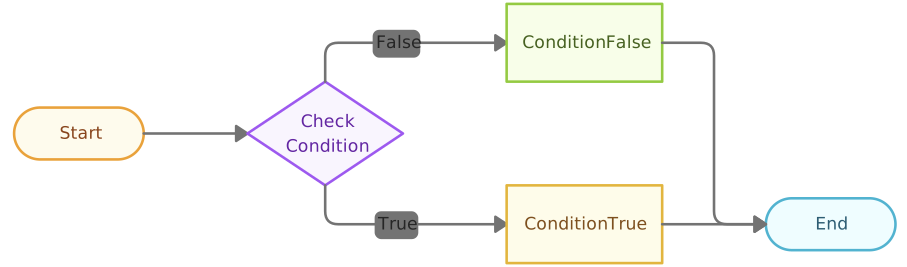
Pseudocode

Start
Input temperature
If temperature > 30
    Display "Hot"
Else If temperature >= 20
    Display "Warm"
Else
    Display "Cold"
End
This flowchart simplifies conditional logic in programming by outlining how different conditions impact program execution, making it easier to debug and refine algorithms.
Use Cases
- Structuring multi-branch decision logic in a program
- Handling different outcomes based on user input or values
- Debugging logic errors in nested or chained conditions
- Showing how a program evaluates conditions step by step
- Teaching how if, else if, and else logic works
7. Class Diagram Flowchart
A class diagram flowchart represents object-oriented programming (OOP) structures, showcasing relationships between classes, methods, and attributes.
Use Cases
- Planning object-oriented program structure before development
- Mapping classes, attributes, methods, and relationships
- Showing inheritance, dependencies, and object interactions
- Designing OOP-based applications in Java, Python, C++, or similar languages
- Reviewing software architecture with developers or technical teams
8. Computer Science Flowchart
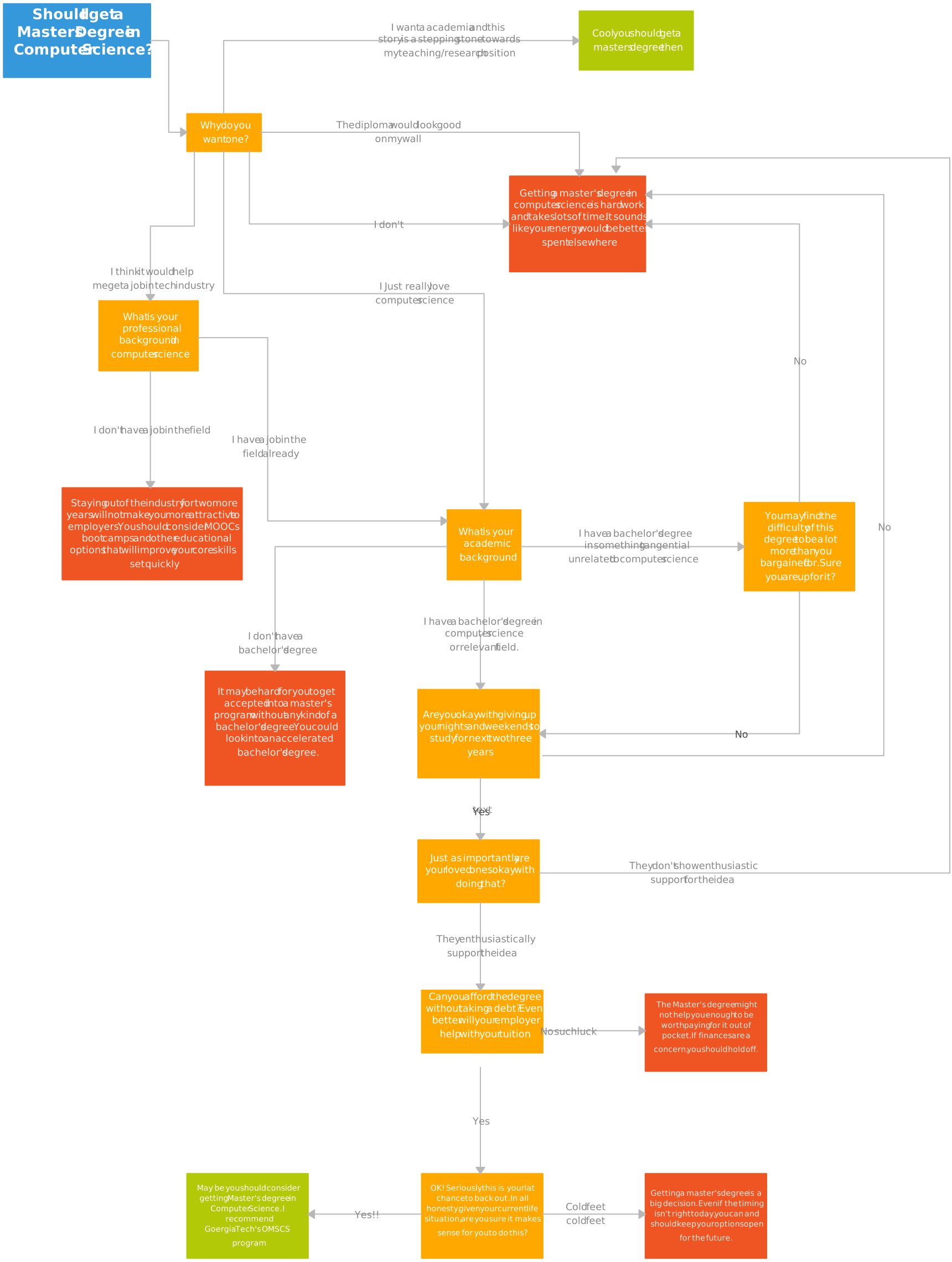
This template provides a structured way to visualize key concepts in computer science, such as algorithms, data structures, and computation models.
Use Cases
- Teaching algorithms, data structures, and programming fundamentals
- Explaining how a concept works before writing code
- Mapping problem-solving steps in computer science lessons
- Visualizing computation models, logic flows, or system behavior
- Supporting academic projects, tutorials, or classroom exercises
9. Chatbot Flowchart
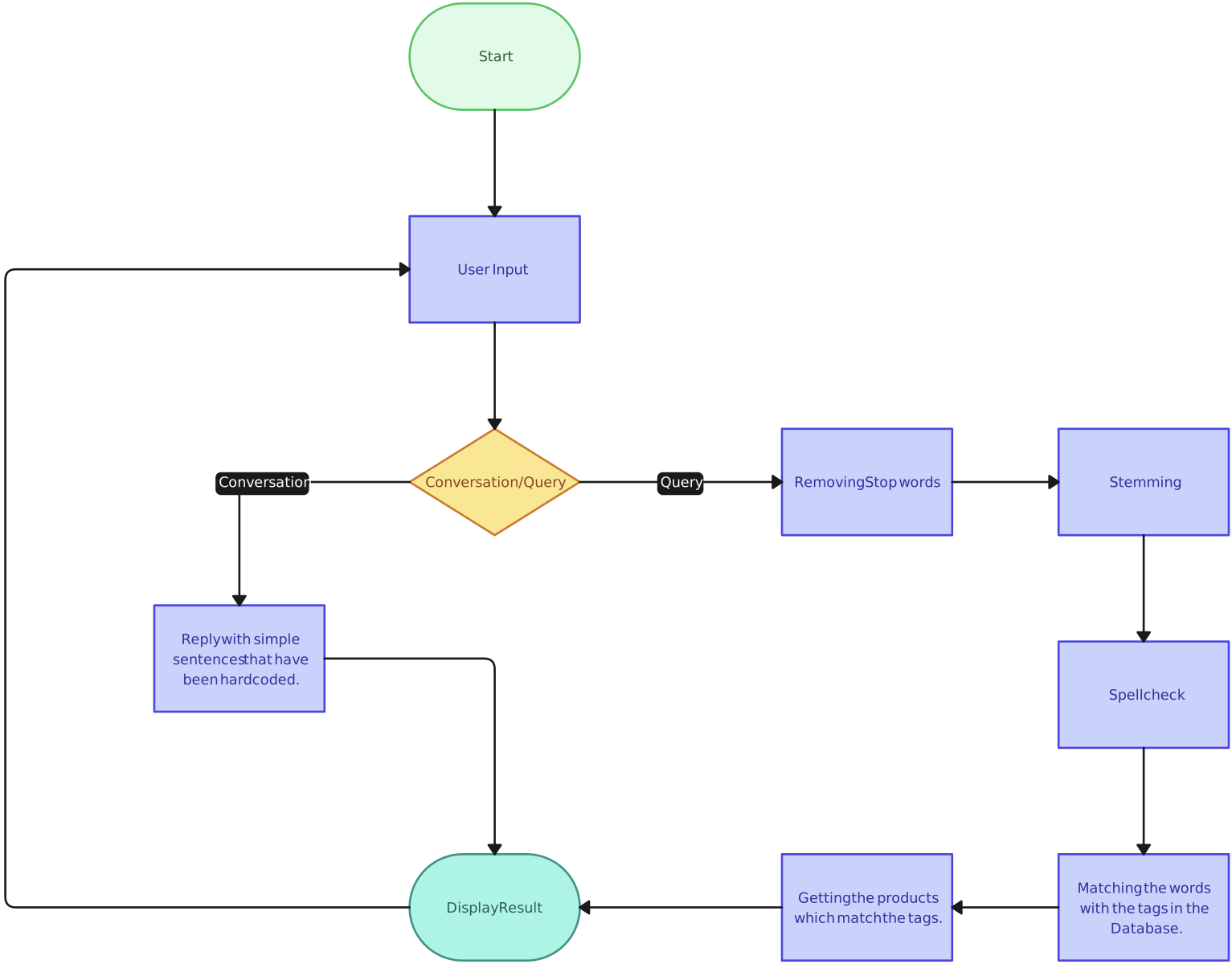
Ideal for chatbot developers, this flowchart maps out chatbot interactions, ensuring efficient responses and smooth conversational flows.
Use Cases
- Structuring chatbot conversations and response paths
- Planning how the bot handles different user intents
- Improving automated customer support interactions
- Debugging missing, incorrect, or repetitive responses
- Designing smoother conversational flows for web or app chatbots
10. Website Navigation Flowchart
This flowchart helps plan website structures, improving user experience by outlining how visitors navigate between pages.
Use Cases
- Planning website structure before design or development
- Mapping how users move from one page to another
- Organizing content into clear sections and page groups
- Improving navigation paths for better user experience
- Aligning designers, developers, and content teams on site flow
11. While Loop Flowchart
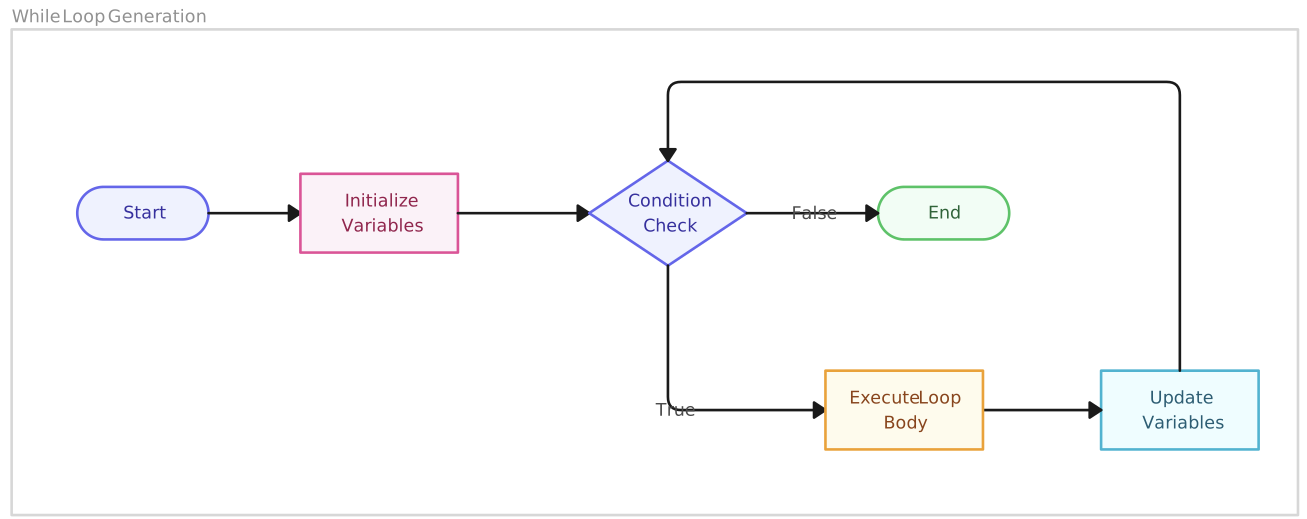
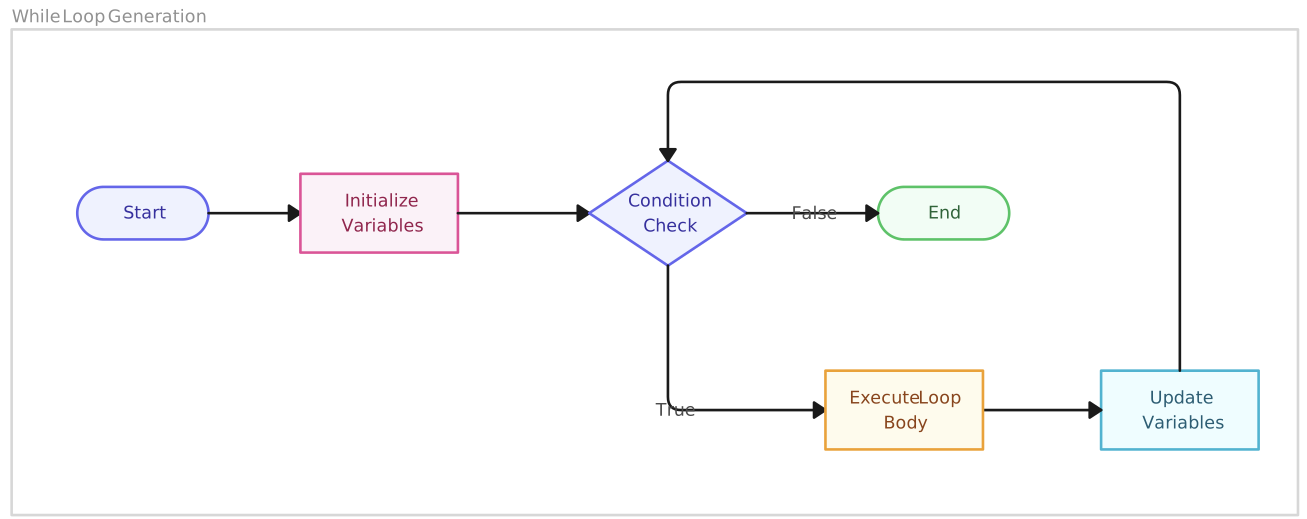
Pseudocode

Start
Set count = 1
While count <= 5
    Display count
    count = count + 1
End While
End
This template represents the structure of while loops in programming logic.
Use Cases
- Repeating a task while a condition remains true
- Counting through values in a controlled loop
- Debugging loops that run too long or stop too early
- Explaining how iteration works in programming
- Mapping retry, validation, or repeated input logic
12. Repeat Loop Flowchart
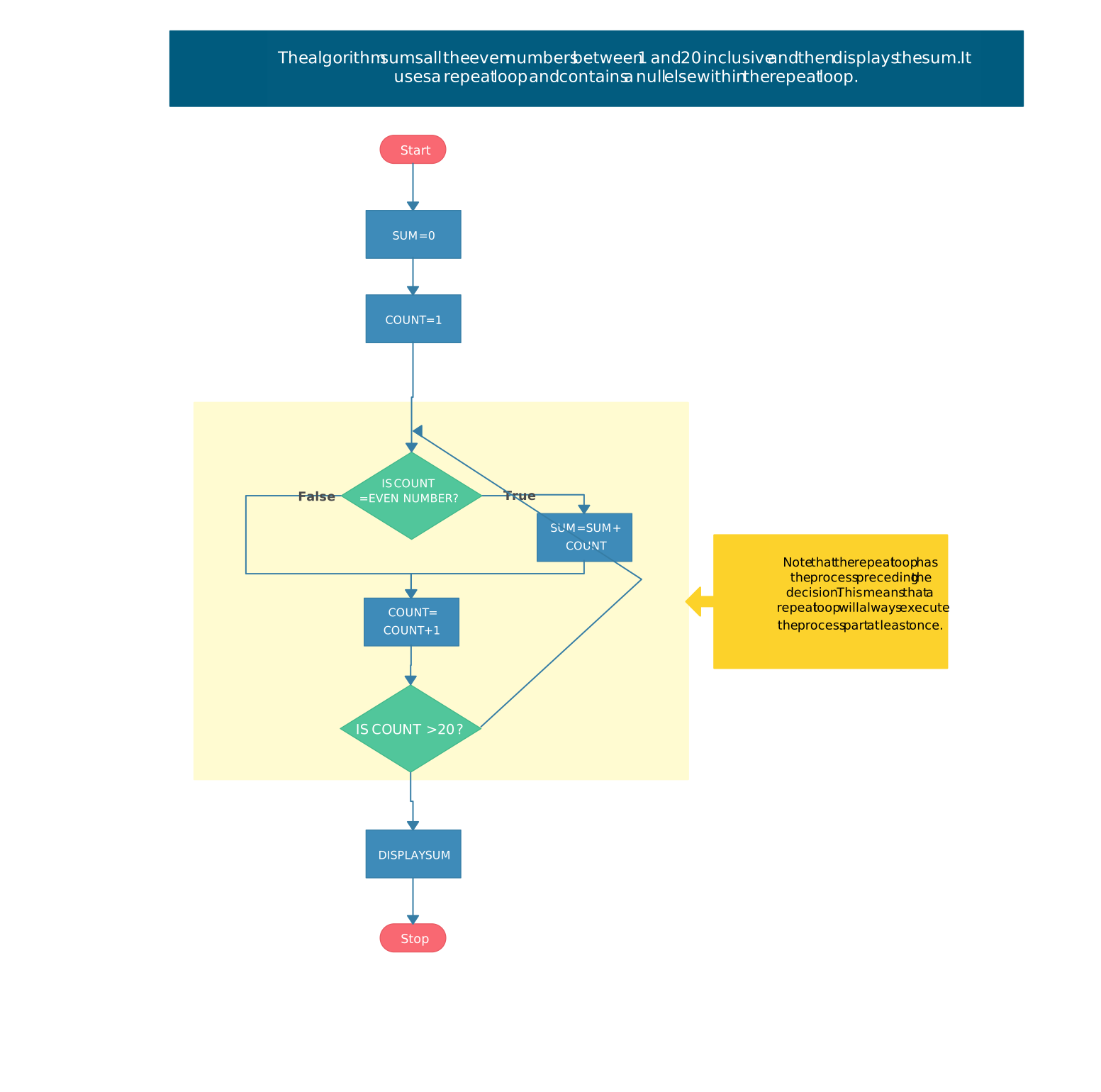
Pseudocode

Start
Repeat
    Input password
Until password is correct
Display "Access granted"
End
This flowchart illustrates repeat loops in programming, aiding in iteration logic understanding.
Use Cases
- Repeating a task until a required condition is met
- Handling password entry, menu selection, or input validation
- Showing loops that must run at least once
- Debugging repeated processes and control flow
- Explaining how repeat-until logic works in programming
13. Algorithm Flowchart

Pseudocode

Start
Input num1, num2
Set sum = num1 + num2
Display sum
End
This template helps visualize algorithm structures for efficient programming.
Use Cases
- Planning the steps of an algorithm before coding
- Breaking problem-solving logic into clear stages
- Showing how input, processing, and output connect
- Debugging algorithms by checking each step in order
- Teaching basic programming and computational thinking
14. App Development Process Flowchart
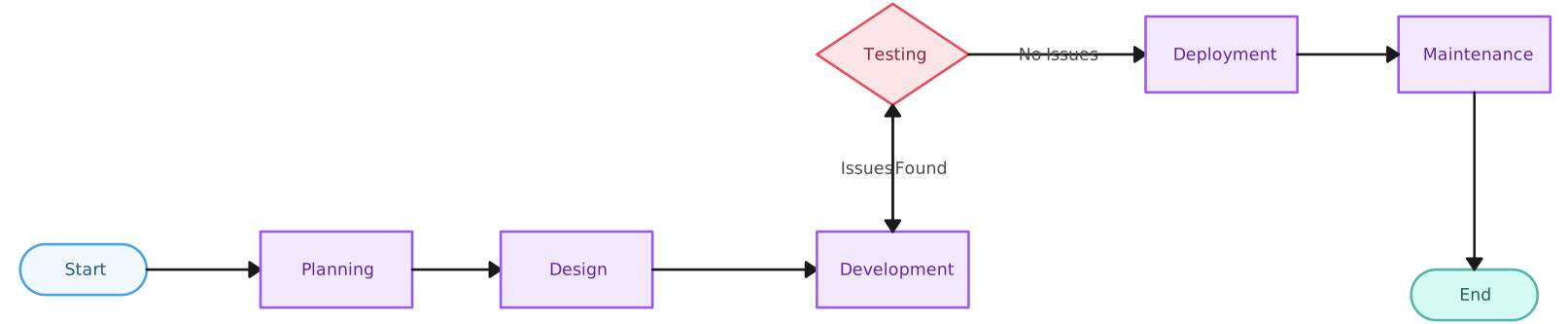
This flowchart helps app developers plan the development process effectively.
Use Cases
- Planning the app development lifecycle from idea to launch
- Mapping feature design, development, testing, and release steps
- Showing how teams review and approve app features
- Tracking where bugs, revisions, or testing loops happen
- Aligning product, design, development, and QA teams on the process
How to Turn Code Into a Flowchart
Step 1. Identify the start and end points
Begin by marking where the program starts and where it ends. Most programming flowcharts use a terminal symbol for the start and end so the overall flow is easy to follow.
Step 2. List the main actions in the code
Break the code into simple steps, such as assigning a value, calculating a result, displaying output, or calling a function. Each action usually becomes a process symbol in the flowchart.
Step 3. Add inputs and outputs
Look for places where the program receives or displays information. User input, file data, form entries, printed messages, and final results can be shown with input/output symbols.
Step 4. Turn conditions into decision points
Convert if, else if, else, and switch statements into decision symbols. Each decision should branch into clear paths, such as yes/no or true/false.
Step 5. Show loops with returning arrows
For while, for, or repeat loops, show the repeated action and use arrows to return to the condition or loop step. Make sure the flowchart also shows when the loop stops.
Step 6. Connect the steps in execution order
Use arrows to show the exact order in which the program runs. This helps readers understand how the logic moves from one step to the next.
Step 7. Review the flowchart against the code
Check the finished flowchart against the original code to make sure no conditions, outputs, loops, or error paths are missing. A good flowchart should make the code logic easier to understand at a glance.
Watch this video for a step-by-step guide on designing professional flowcharts effortlessly with Creately.
Why Creately is the Best Tool for Programming Flowcharts
Creately provides powerful diagramming capabilities, real-time collaboration, and an extensive library of templates, making flowchart creation seamless and efficient. For complex workflows or team-based projects, Creately’s intuitive free flowchart software simplifies the process with smart automation and interactive features. Whether mapping out processes, analyzing workflows, or improving team coordination, Creately is the ultimate tool for creating clear, professional flowcharts effortlessly.
- AI-Powered Assistance: With Creately AI, flowchart creation becomes even faster and smarter. Its AI Flowchart Maker automatically suggests relevant shapes, generates diagrams from text inputs, and enhances process visualization. This reduces manual effort while accelerating workflow design. Try the AI Flowchart Template to experience these capabilities firsthand.
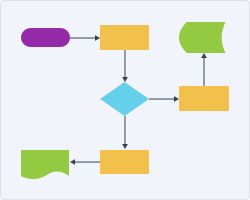
Extensive Template Library – Access a variety of pre-designed, customizable flowchart templates suited for different industries and business functions.
User-Friendly Drag-and-Drop Interface – Quickly design complex diagrams with an intuitive, no-code interface that makes workflow visualization effortless.
Seamless Real-Time Collaboration – Work with your team in real-time, providing instant feedback, co-editing, and sharing insights across departments.
Comprehensive Shape Libraries – Utilize a rich collection of flowchart symbols, including process, decision, and data elements, tailored for specific business and technical use cases.
Integration with Business Tools – Connect seamlessly with Jira, Confluence, Google Drive, and other productivity tools to synchronize workflows and enhance efficiency.
Flexible Export & Sharing Options – Save and share your flowcharts in multiple formats (PNG, PDF, SVG) or embed them directly into reports and presentations for easy collaboration.
Helpful Resources
Understand key flowchart symbols, rules, and simple techniques to create clear diagrams for processes, systems, and workflows.
Turn complex logic into easy-to-follow algorithm flowcharts that clearly show conditions, loops, and decision-making steps.
Map out your website pages and user paths visually to plan layouts, improve site structure, and simplify content organization.
Conclusion
Programming flowcharts are essential for structuring code logic, improving debugging, and simplifying complex algorithms. With Creately’s range of customizable templates and intuitive tools, you can efficiently design and optimize flowcharts tailored to your coding needs. Start using these templates today to streamline your development workflow.