Cloud architecture you can inspect — see what is running and why.
Bring infrastructure facts, dependencies, configurations, and changes into one connected, inspectable view. AI can help trace what depends on what; your team can verify the path, correct the model, and decide what changes.
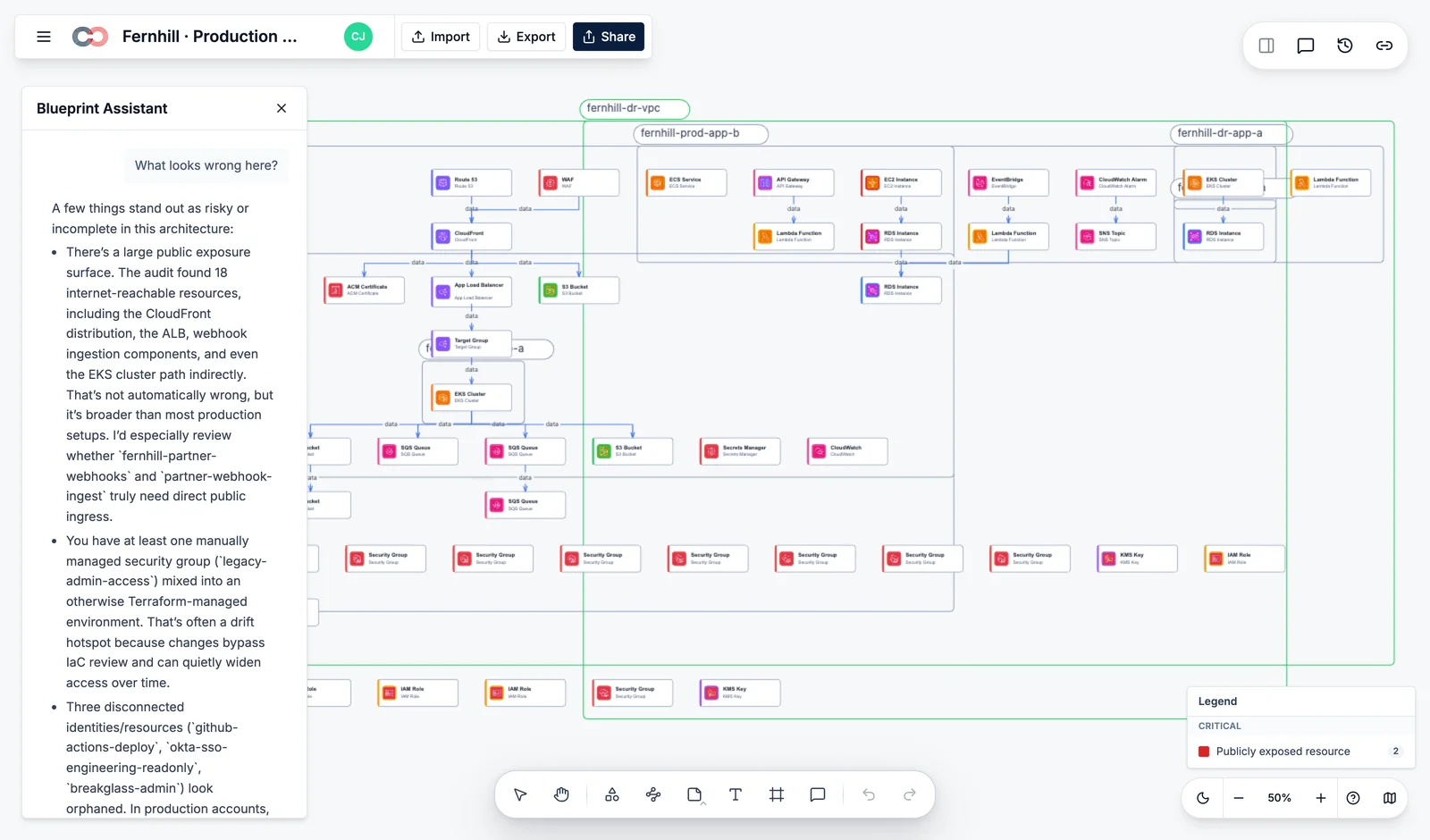
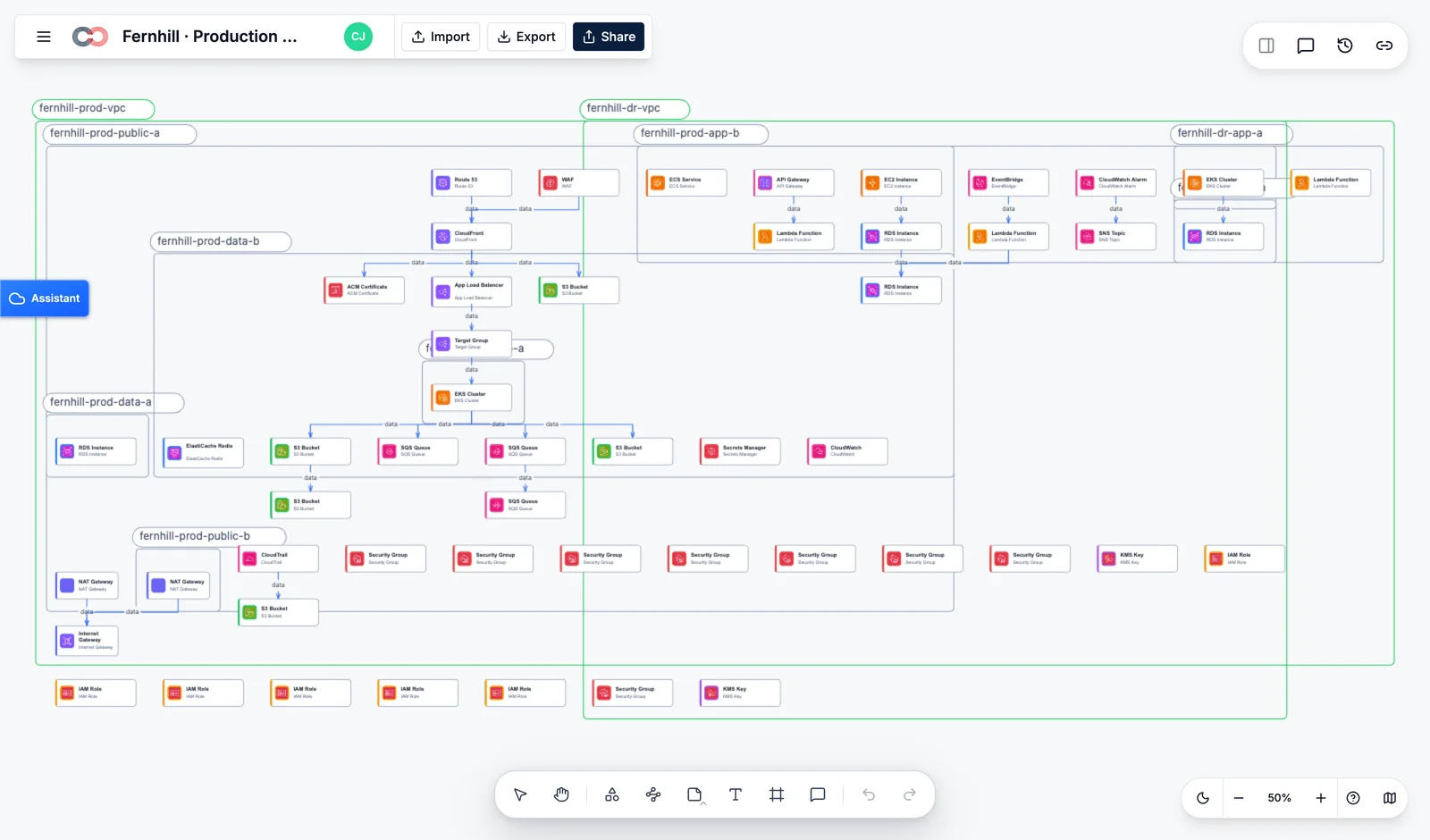
The arch diagram in your wiki is already wrong.
Lucidscale and Cloudcraft give you a snapshot. The snapshot is stale the day it's drawn. Blueprint is a continuous read of the cloud — the diagram is the cloud, not a drawing of it.
Scanned, not drawn
Read-only IAM role per account. Blueprint scans every 5 minutes (or on webhook). The diagram updates automatically. Nobody has to remember to redraw it after a deploy.
Drift detection that matters
Not every change represents drift. Blueprint surfaces the ones that touch compliance, security, or cost — and links them to the SOC 2 / HIPAA / ISO control they break. So you fix what actually breaks.
Audit-ready exports
Export to PDF, SVG, Visio, draw.io, or the open RDM format — any time, fresh from a scan. Your security team gets the same diagram every time, never out of date.
Bring the providers and tools your team already runs into the same picture.
EC2, EKS, RDS, Lambda, S3, IAM, VPC, CloudFront, KMS, CloudTrail and the relationships between them.
Resource groups, workloads, networking, identity, storage, security context, and connected operational facts.
Projects, workloads, IAM, networks, data services, and the dependencies that explain how the estate fits together.
Also reads: Kubernetes (any provider) · Terraform state · Pulumi state · CloudFormation · Datadog · PagerDuty. Ask about an integration →
Three jobs every Platform Eng team puts off.
Hand the auditor a live diagram, not a screenshot.
Four weeks before the audit, Blueprint shows you the seven things that drifted, the two that touch SOC 2 controls, and the export the auditor will accept. No more two-week sprint redrawing diagrams in Visio.
Blast radius in 4 seconds, not 40 minutes.
When something changes in prod at 2am, Blueprint knows what depends on it before you finish reading the PagerDuty alert. The diagram becomes the incident-response runbook.
Overlay cost on the same diagram.
Toggle the FinOps layer. Every box shows its monthly cost. Idle Lambda functions, unused EBS snapshots, over-provisioned RDS — surfaced as a list ranked by yearly burn.
How Blueprint compares.
| Creately Blueprint | Lucidscale | Cloudcraft | |
|---|---|---|---|
| Continuous scan (no manual refresh) | Partial | Partial | |
| Drift alerts linked to compliance controls | |||
| Multi-cloud: AWS + Azure + GCP | Partial | ||
| Kubernetes + service-mesh awareness | Partial | ||
| Blast-radius / dependency view at incident time | Partial | ||
| Cost overlay on the same diagram | |||
| Agent-callable (MCP / Claude / Cursor) | |||
| Open format export (RDM) | |||
| Mature library of pre-made cloud shapes | Partial |
As of Oct 2026. Sources: vendor docs. Honest call: Lucidscale and Cloudcraft both have richer shape libraries today. Flag anything inaccurate at hello@creately.com.
Start with one environment. Build the connected view your team needs.
We’ll scope the sources, accounts, and review lenses with your platform and security teams, then route you to the right Blueprint setup.
What teams ask before connecting their cloud.
- What is Creately Blueprint?
- Creately Blueprint turns AWS infrastructure data into an architecture model, resource inventory, and review workspace. Cloud and platform teams can inspect dependencies, security exposure, cost, and ownership using views built from the same resource records.
- What is the difference between Creately Blueprint and cloud architecture diagram software?
- Cloud architecture diagram software helps you draw a system. Creately Blueprint builds its model from infrastructure scans and imported files, connecting the diagram to resource records and review findings. It can also supply infrastructure evidence to Creately Compass.
- Can Blueprint keep cloud architecture diagrams current as infrastructure changes?
- Blueprint can refresh its infrastructure model when you run a new AWS scan or import updated infrastructure data. Teams can compare the resulting records with an accepted baseline to review changes. The model reflects the latest completed scan or import, rather than a continuous real-time feed.
- What cloud providers and infrastructure tools can Blueprint use?
- Blueprint supports live AWS scans, Terraform state, CloudFormation JSON, AWS Config snapshots, scanner reports, and CSV data. Azure, Google Cloud, and Kubernetes shape libraries support diagramming, but do not provide live infrastructure scanning for those platforms.
- How is Creately Blueprint priced?
- Blueprint pricing depends on your Creately subscription and the cloud review capabilities you need. Review Creately plans and contact the Blueprint team with your cloud account scope to confirm availability, included features, and a quote.
- What security controls does Blueprint provide for cloud architecture and infrastructure data?
- Blueprint combines read-only AWS capture with folder and document permissions for the resulting infrastructure records. Hosted scans use a cross-account role without storing long-lived AWS access keys. Creately’s shared platform protections are described in the security overview.
- What cloud permissions does Blueprint need to scan infrastructure?
- Blueprint’s hosted AWS scan requires a read-only cross-account IAM role with permissions for the scan layers you enable. Scanning reads infrastructure information rather than changing resources. A local capture path also lets your team run the scan using its own credentials and import the results.
Stop drawing diagrams that lie.
Start scanning the cloud you actually run.
Connect the facts, let AI trace the dependencies, and keep the resulting model visible and editable.
Blueprint is built by the team behind Creately.